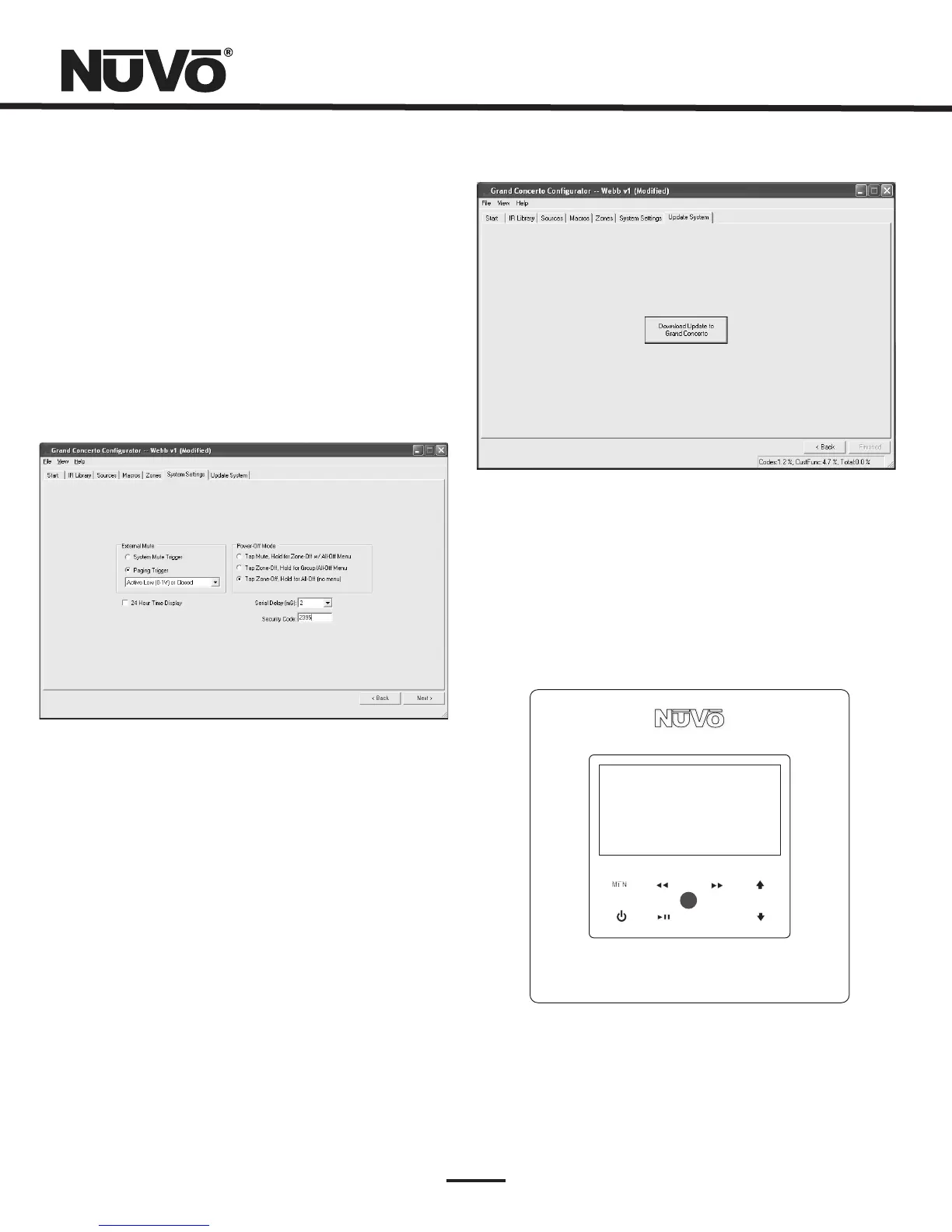
6.5SecurityCode(Fig.30)
AfeaturewiththezonesetupoftheGrandConcertoSystem
istheabilitytolockthezone.Thiscanbedoneasadefault
thatwillrequireafour-digitsecuritycodetounlockthe
zoneControlPadwhenthezoneisturnedon,oritcanbe
doneasatemporarysettingfromtheControlPadmenuto
lockthezoneonitscurrentlisteningchoice.Ineither
scenario,thesecuritycodemustbesettounlockthezone.
Thesecuritycodecanbeanyfourdigitsorleftatthedefault
5555.
Fig.30
7.UpdateSystem(Fig.31)
ControlPadFirmwareUpdate(Fig.31a)
Thefinishedconfigurationisnowreadytobedownloadedto
theGrandConcertoamplifier.Whiledownloading,aprogress
boxwillshowdownloadprogress.Oncecomplete,the
configurationispermanentlystoredinflashmemory.
Configurationscanalwaysberetrievedandeditedatafuture
date.
Whenfirstpluggedinandaddressed,theControlPadswill
pollthemainunitforthecorrectfirmwareversion.Ifthey
areatalesserversionnumber,anupgradenoticewillappear
onthedisplay.Itisimportanttoallowthisprocessto
complete.WhentheControlPadisfinishedupgradingitself
itwillturnoff.Atthatpoint,itisreadyforzonecontroluse.
Fig.31
Fig.31a
MENU
OK
FirmwareUpgrade
PleaseWait...
25



 To Next Page