16
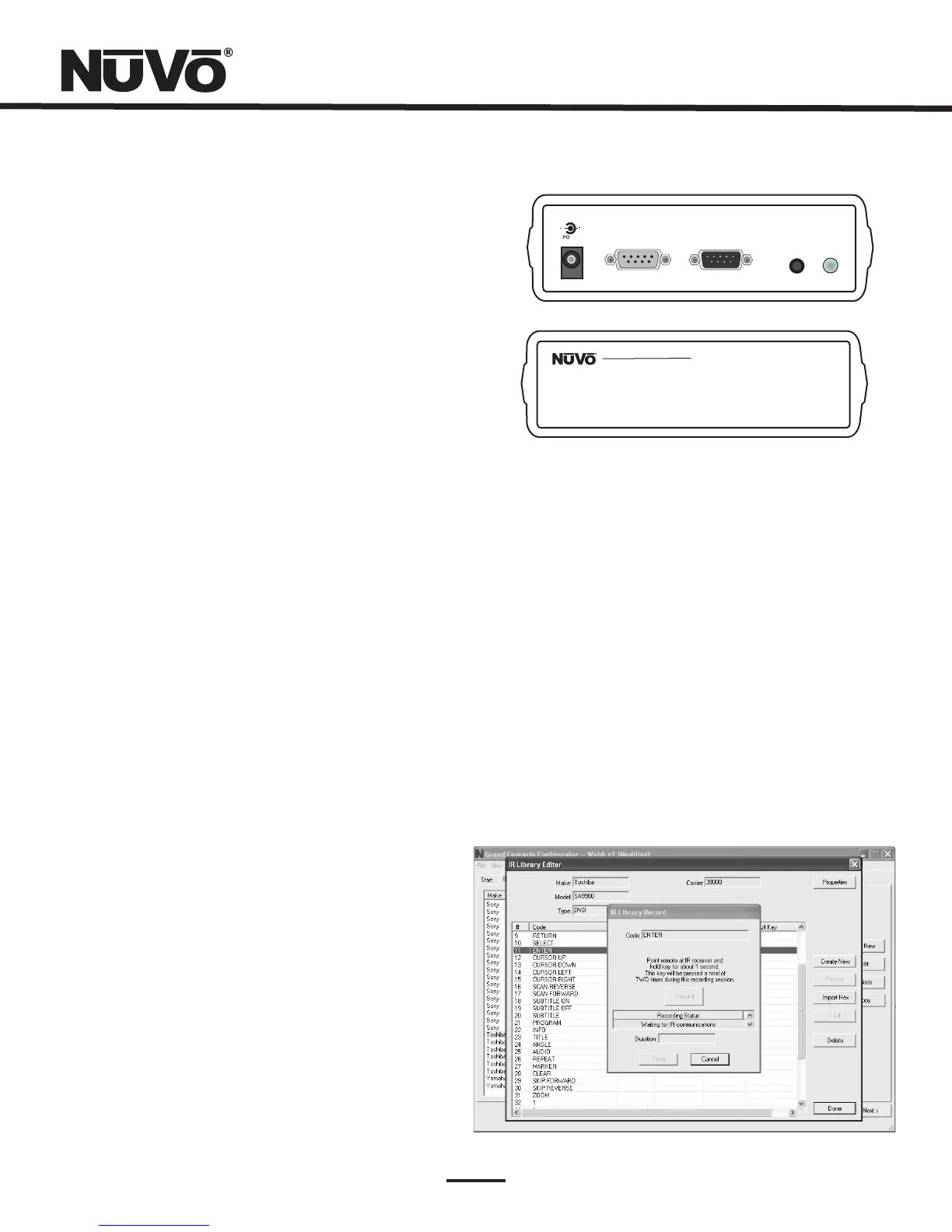
UsingtheIRLearningStationInterface(Fig.13)
TorecordnewIRcodes,youwillneedtheIRLearningStation
Interface.TheIRLearningStationInterfaceisapowerful
toolforsettingupnewIRLibrariesforusewiththe
ConfiguratorSoftware,andispartoftheIRLearningStation
Package.Capturingfunctioncodesandaddingthemtothe
componentIRLibraryisaneasyprocess.
TheInterfaceboxisconnectedtoyourcomputerusingone
oftheRS232connectioncablesprovidedwiththeIR
LearningStationpackage.Notethatinmanycases,personal
notebookcomputersdonothaveaDb9serialcable.Inthis
caseanRS232toUSBdonglecablewillbenecessary.
ThebackpaneloftheInterfaceboxhastwoIRoutputsfor
testingpurposes.YoucanusetheincludedIRemitterand
attachittotheIRwindowonthefaceofthesource
componentortothebuilt-inIRblaster,which,whenaimed
atthesourceequipment,willfiretheIRcommand.
Fig.13
+
-
POWER
12VDC/0.4A
CONNECTTO
PC
CONNECTTO
CONCERTOD
IR
EMITTER
IR
BLASTER
ConcertoLearningStation
ModelNV-I8DLS
PASSTHRU
READY
IRSENSOR
TEST ACTIVE
POWER
2.2RecordingIRcodes(Fig.14)
WhenanewcomponentisaddedtotheIRLibrary,itis
necessarytorecordtheIRcodesassociatedwitheach
function.Todothis,connecttheLearningStationInterface
asdescribedabove.Double-clickonthedesiredcomponent
fromtheIRLibrarypage.ThiswillopentheIRLibraryEditor.
Thiswindowliststhecompletesetoffunctionsforthattype
ofdevice.
ToinitiatetheIRrecordingprocess,youcaneitherdouble-
clickonafunctiontoberecordedorhighlightthefunction
andclickontheRecordbutton.ThiswillopentheIRLibrary
Recordwindow.Thewindowwillindicatethatthe
Configuratoris “WaitingforIRCommunications.” Torecorda
newcode,simplypointthecomponent'sremotecontrolat
theIRreceiverontheNuVoIRLearningStationInterface.
Thefirsttimeyouenteracode,theConfiguratordetermines
ifitisa “togglingfunction,” whichmeansthattheremote
sendstwocommandsback-to-back.Thisrequiresthatthe
functionbuttonbepressedfourtimesinsuccession.
Whentheremotecodeisentered,theIRLibraryRecord
windowwillgofromyellowtogreenandindicatethatthe
capturewassuccessful,anditwillthenreturntoyellow.
Repeatthisprocedurethreemoretimesuntilthedesired
codeisaddedtotheIRLibraryEditwindow.Youwillnowsee
thenumberofcoderepeatsandthedurationofthecode.A
normalnon-togglingremotewillrequiretwobuttonpushes
tosuccessfullyrecordacommand,whileatogglingremote
willrequirefourbuttonpushesforeachcommand.
Ifthereisanerrorinrecordingthecode,thedisplayinthe
Recordwindowwillindicatethattherewasacommunication
error.Ifthisoccurs,clickontheRecordbuttonandreenter
thecode.
Fig.14



 To Next Page