Setting up the Océ 3050 Microfilm Scanner 61
▼ To add a new Card Key:
If the Hollerith structure per card or group of cards differ, a card key can be
identified so the Hollerith reader can recognize the various Hollerith structures
with regard to the drawing number and drawing format (size key). If only one
Hollerith structure is applicable (all the cards are punched in the same way)
type ALL_CARDS
(see figure 36).
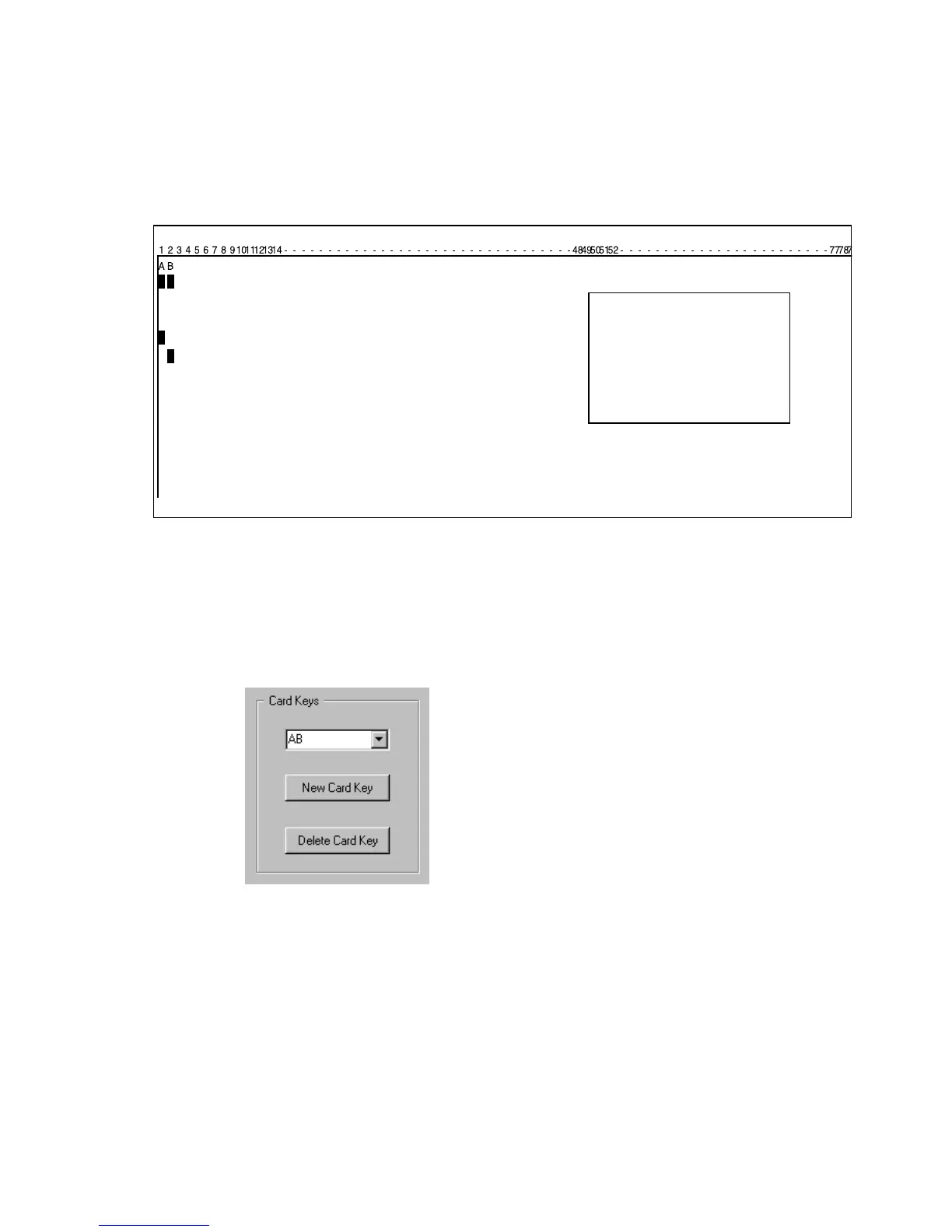
[36] The card key in this example is represented by A & B in column 1 & 2
To insert the place the Hollerith elements, representing the key, you have to
follow this procedure.
1 Click the Card Key radio button in the Display elements entry box (see
figure 33 on page 59) or (see figure 34).
2 Click New Card Key in the Card Key window.
[37] To create a New Card Key
3 Type the name (the key of a specific hollerith structure) of the Card Key in the
entry field (in this example Type A and B). In the Hollerith Elements window,
select the elements that contain the new Card Key (in this example click
Hollerith element 1 and 2 in the Edit Hollerith Control FIle screen,
(see
figure 33).
The number of Hollerith elements must equal the number of characters in the
name of the Card Key (The length of the card key is not limited).



 To Next Page