5-10 Print Controller User’s Guide
Chapter 5 Scanner Operation
● Functions
When scanning an original document, you can use advanced features such as Special
Original, Non-image Area Erase, Frame/Fold Erasure, Reverse Image, Full-image Area, and
Dual Page.
Special Original and Application Selection
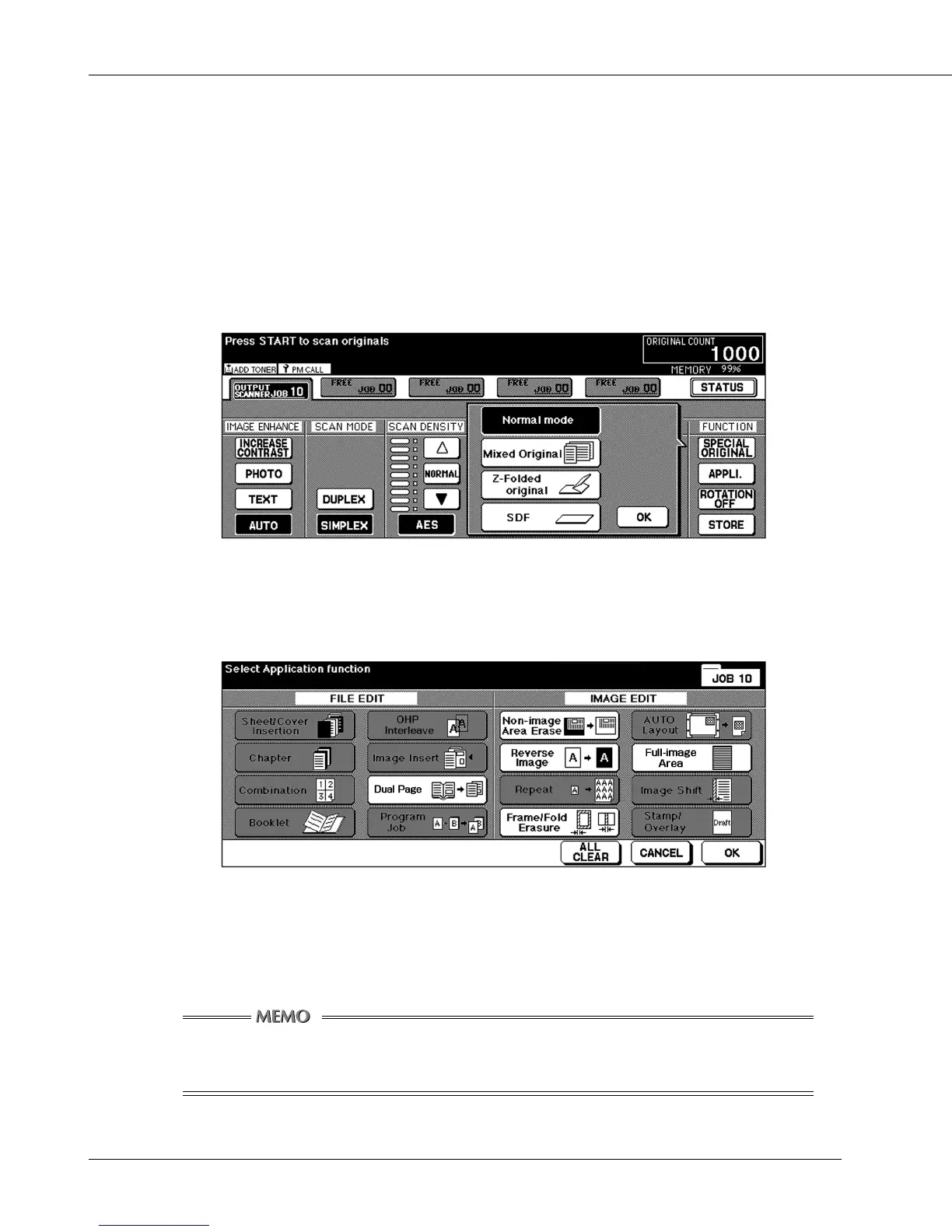
Pressing the [SPECIAL ORIGINAL] key in the scanning setting basic screen displays
the special original screen which looks like this:
Special Original Screen
Pressing the [APPLI.] key in the scanning setting basic screen displays an application
selection screen which looks like this:
Application Selection Screen
After selecting an application function, pressing the [OK] key brings you back to the
scanner setting basic screen. Or, you can press the [CANCEL] key to abandon your
setting, going back to the scanner setting basic screen.
For details of each feature, refer to the User’s Guide for the main body printer
(copier).



 To Next Page