Print Controller User’s Guide 4-21
Chapter 4 Control Panel Setup
● Password Print (Confidential Output)
A Confidential Output feature enables you to password protect specific print jobs. The print-
ing process starts only when you enter a password on the control panel of the main body
printer; a password you can set up when transferring a print job from your computer.
Thanks to this feature you can manage confidential documents without worrying about
someone else having access to them.
Password Print (Confidential Output) Procedures
● On your computer:
1. Get the Printer Properties dialog displayed.
2. Put a check in [Password Print] on the [Paper] tab of the Printer Properties dialog.
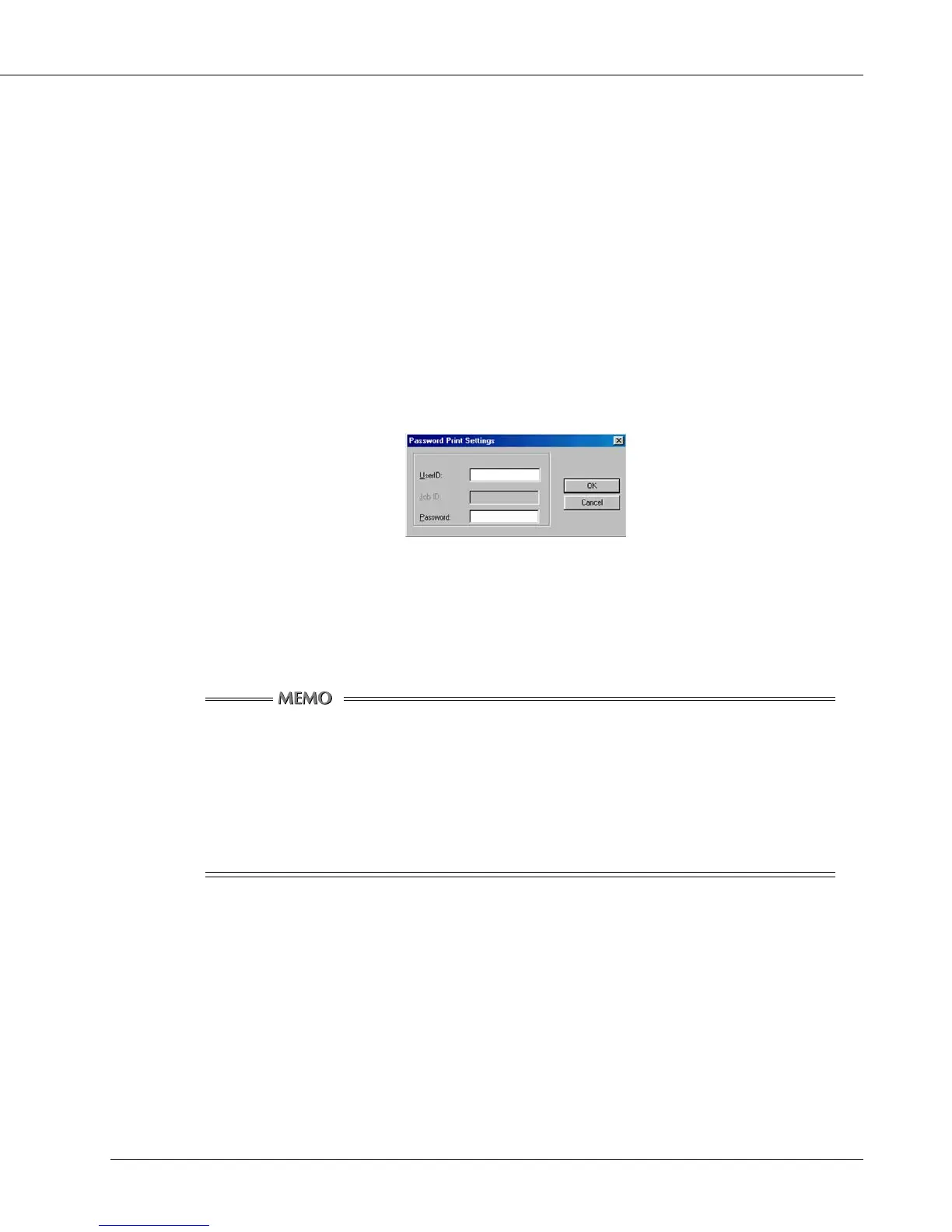
[Password Print Settings] dialog appears.
When you have already set up the password on the [Password Print Settings] dialog, go to
step 6.
3. Enter your user ID in the [UserID] text box.
You can select any eight-digit number for user ID.
Providing the Printer ECM feature has been set on the copier, [User ID] set up
in the [Settings] dialog is recognized for a password for Printer ECM.
Provided a Printer ECM feature has been set on the copier, you can enter the
same number in the [User ID] text box as that representing your password for
Printer ECM.
For Printer ECM, refer to “ Chapter 6 Printer ECM ”.
4. Enter your password in the [Password] text box.
You can select any eight-digit number or character for Password.
5. Click the [OK] button.
If you click the [Cancel] button, [Password Print] check box will be [OFF] and password print
(confidential output) will not be performed.
6. Set up the other functions if necessary, then start to print.



 To Next Page