Print Controller User’s Guide 5-7
Chapter 5 Scanner Operation
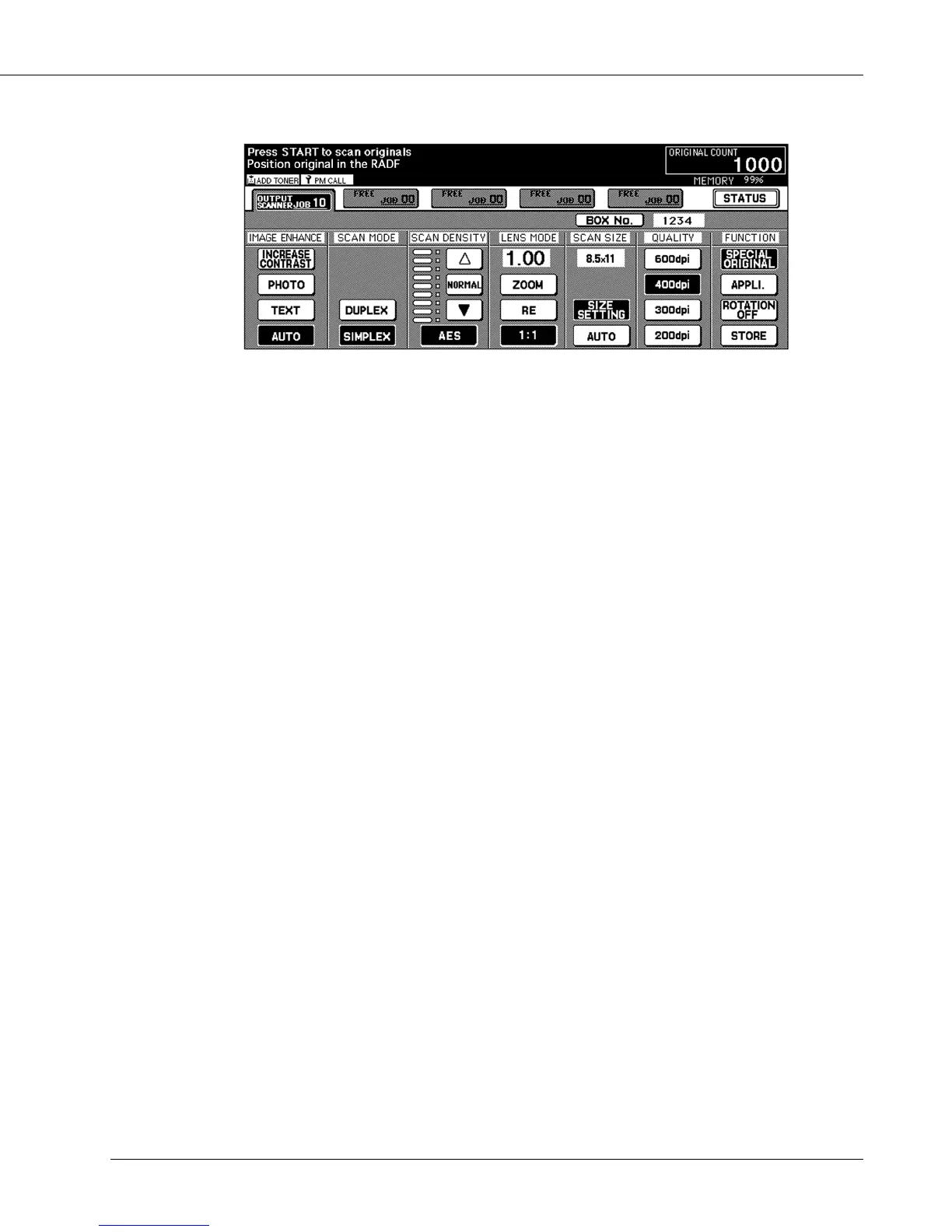
● Scanner Setting Basic Screen
Basic Features
[BOX No.]
Press this key to change / enter a box number.
When this key is pressed, the BOX No. Input window appears.
[IMAGE ENHANCE]
Use to select an image quality.
The default is the same as that in the copy mode (AUTO mode). For the default setting
of the copy mode (Key Operation mode), refer to the copier manual.
[AUTO]:
Distinguish between text and photo automatically and select the appropriate image
quality.
[INCREASE CONTRAST]:
Darken lightly printed images ( e.g., pencil) without changing background exposure.
[PHOTO]:
Reproduce a halftone photo image.
[TEXT]:
In this mode, text is improved in comparison to using the AUTO mode.
[SCAN MODE]
Use this features to determine the mode from Duplex or Simplex in which the original
document is read.
When [DUPLEX] is selected, the message appears for mounting of the RADF.



 To Next Page