4-2 Print Controller User’s Guide
Chapter 4 Control Panel Setup
■ Control Panel
You can set up the printing system from the control panel of the main body printer (copier).
This chapter describes the basic operation of the control panel and the setup menu and
functions of the printing system setup.
Refer to the operating manual of the copier for other functions and screens of the control
panel.
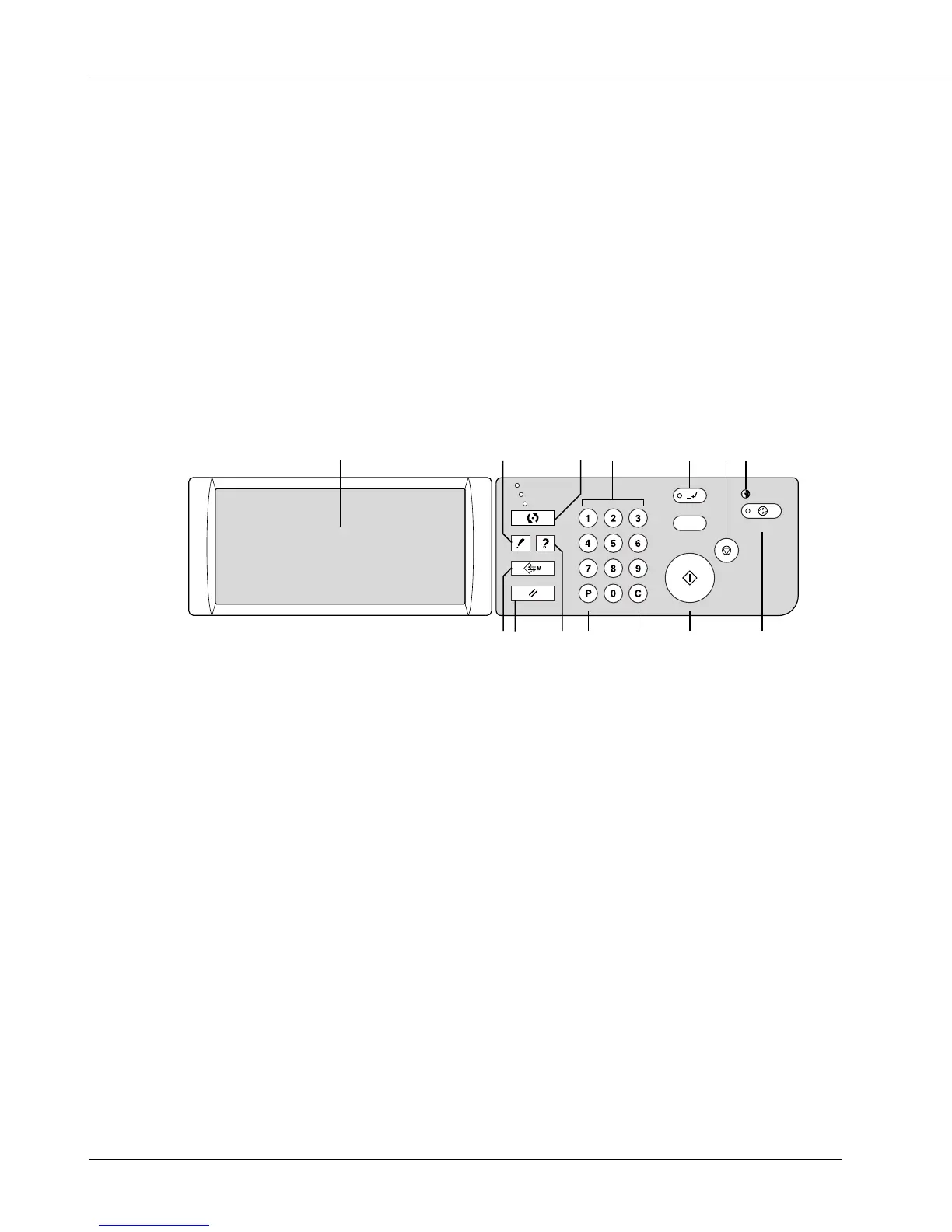
● Names and Functions of the Control Panel
The control panel has the following names and functions.
CHECK
COPY
SCANNER / SERVER
PRINTER
INTERRUPT
PROOF COPY
TIMER
STOP
START
JOB MEMORY
CLEAR QTY.
COUNTER
AUTO RESET
HELP
POWER SAVER
ON / OFF
1
2
3
14
13
12
4
11 10
9
5
6
7
8
1 LCD TOUCH SCREEN
Displays printing system status; various setting menus and setup items; help informa-
tion; interactive screens; and touch keys for selecting all functions.
2 CHECK
Displays a screen showing all settings that are selected for the current job when setting
up the Wait Mode on the printer driver screen.
3 MODE
Switches the machine operation mode to copy, printer, and scanner/server in turn.
4 KEYPAD
Enters numeric values.
5 INTERRUPT
Stops printing in progress to allow copying from the platen glass.



 To Next Page