3-20 Print Controller User’s Guide
Chapter 3 Printer Driver Functions
Features - Staple
[Single-Left], [Double Top] or [Double Left] makes each stapled set of copies and output
to the tray of the finisher.
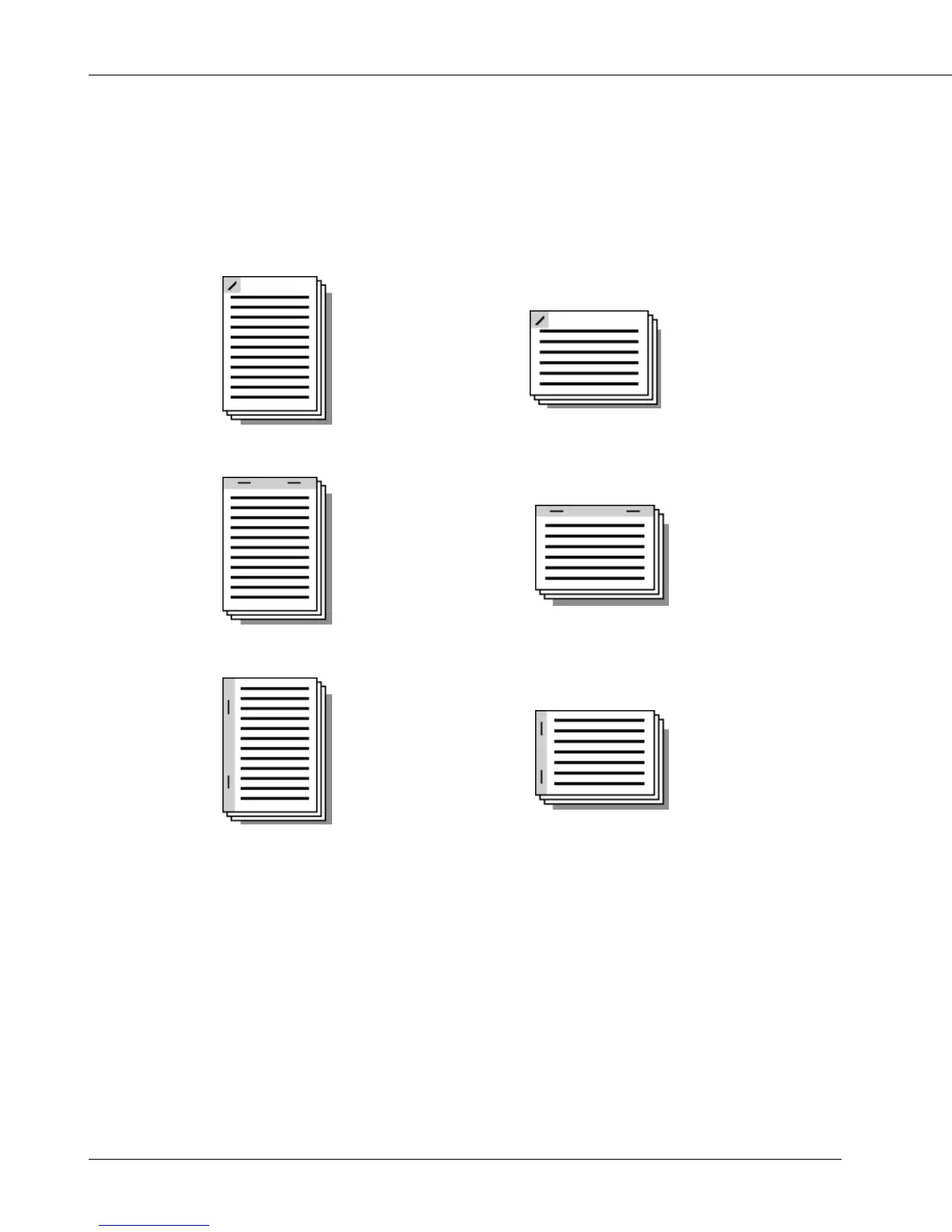
Stapling is performed as shown for the following orientations:
Single Left (Portrait) Single Left (Landscape)
Double Top (Portrait) Double Top (Landscape)
Double Left (Portrait) Double Left (Landscape)
[Staple] can not be performed in the following cases:
• When Finisher is not available
• When [A6] or [B6] is selected in [Paper size]
• When [OHP (Transparency)], [OHP-Interleave (Blank)], [OHP-Interleave (Print)] is
selected in [Media Type]
• When [Collate] is not selected in [Copies]
• When [Booklet] is selected in [Features] - [Combination]
• When settings other than [None] are selected in [Features] - [Fold & Stitch]
• When [Sub Tray] is selected in [Output Tray]
• The following combination is selected
e.g., A3-size paper (portrait) and [Double Left]



 To Next Page