3-30 Print Controller User’s Guide
Chapter 3 Printer Driver Functions
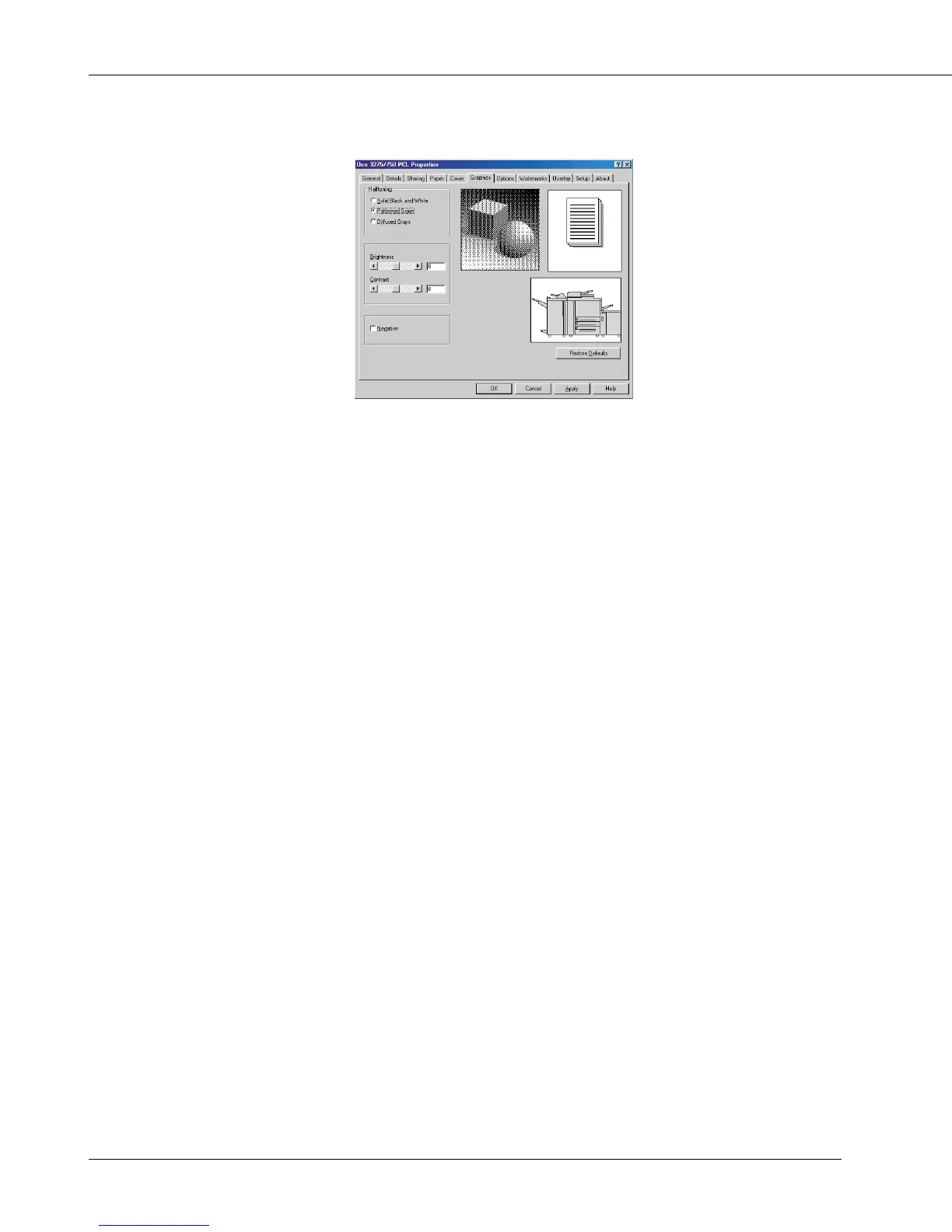
[Graphics] Tab
Halftoning
You can select [Patterned Grays], [Solid Black and White] or [Diffused Grays] by click-
ing the radio button.
[Patterned Grays] prints image by an ordered dither algorithm.
[Solid Black and White] prints without dithering and gray tone.
[Diffused Grays] prints image with error diffusion.
According to your selection, a sample image will be displayed.
Brightness
Using the Brightness slider or entering the value from -100 to 100 into the text box
beside the slider, you can brighten or darken the graphic.
If the graphic appears too bright, slide the brightness slider to the left.
If the graphic appears too dark, slide the brightness slider to the right.
Contrast
Using the Contrast slider or entering the value from -100 to 100 into the text box beside
the slider, you can increase or decrease the range of contrast within the graphic.
To increase the range of luminance, slide the brightness slider to the left.
To decrease the range of luminance, slide the brightness slider to the right.
Negative
[Negative] prints image with reverse tone.
Restore Defaults
By clicking the [Restore Defaults] button, the [Graphics] tab settings return to defaults.



 To Next Page