Print Controller User’s Guide 3-39
Chapter 3 Printer Driver Functions
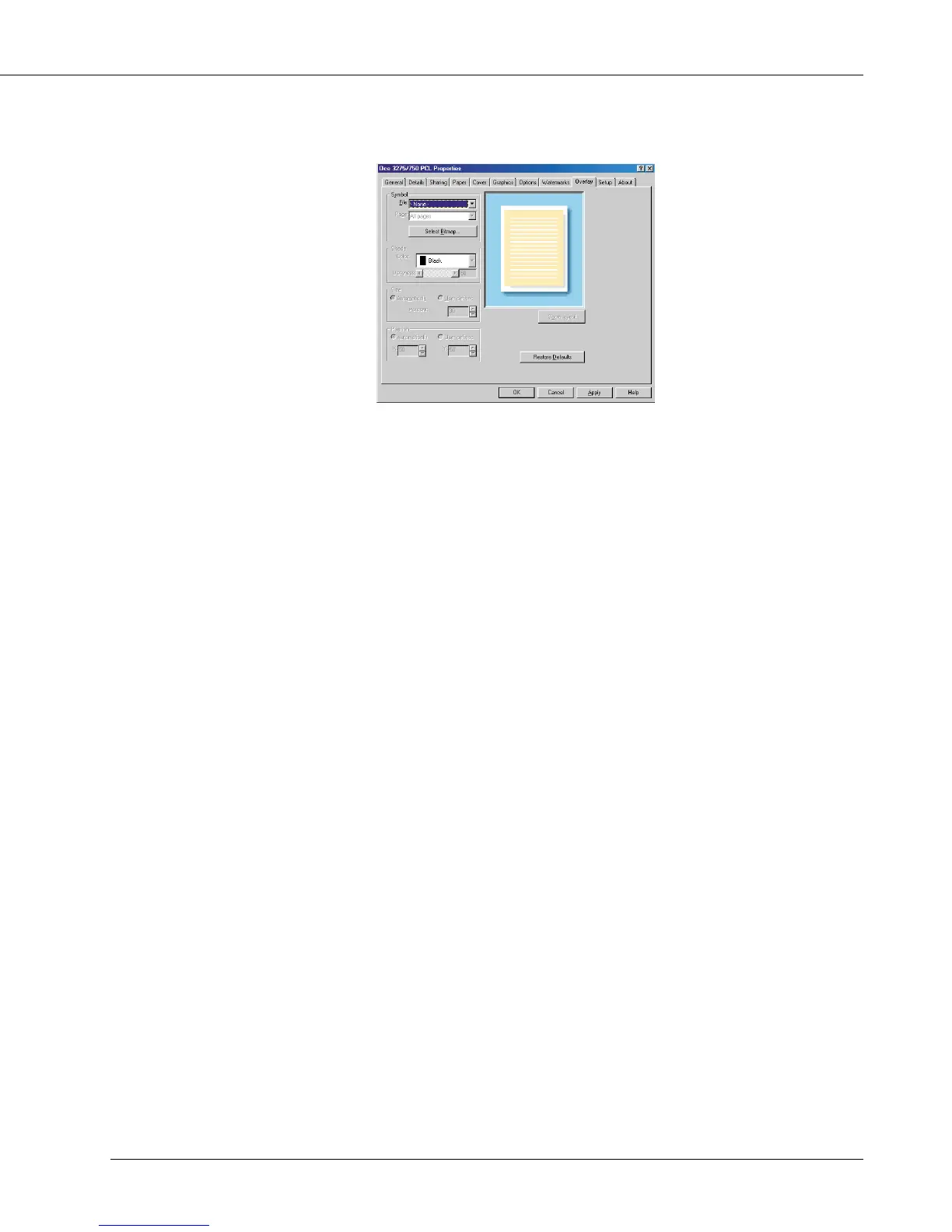
[Overlay] Tab
Symbol
File
You can select a bitmap file to use from the list shown by clicking the [▼] button. The
bitmap files selected before will appear in the list in order of using (the top of the list is
a most recently used file). If you’ve not selected any file, this will say [None].
Select a file from this list or click the [Select bitmap] button to navigate through your
system’s hard disk to locate a bitmap file to use.
Page
You can choose a page on which to place the overlay design.
Select [All but first page], [All pages], [First page only] or [No overlay] from the list
shown by clicking the [▼] button.
Select bitmap
When you click the [Select bitmap] button, the [Open overlay file] dialog box will
appear. Select a suitable bitmap file for the overlay from your system’s directories and
click the [OK] button to load the bitmap file.
Shade
Color
This function is used only for black and white (monochrome) bitmaps.
Darkness
You can define with the slider or numerical entry box how “dark” or “solid” your overlay
will be. A setting of 100% is a completely solid overlay, a setting of 50% provides
equal overlay to background coverage, and lesser settings make the overlay more
transparent.



 To Next Page