Use the Océ TDS320 to copy 47
Select the input mode
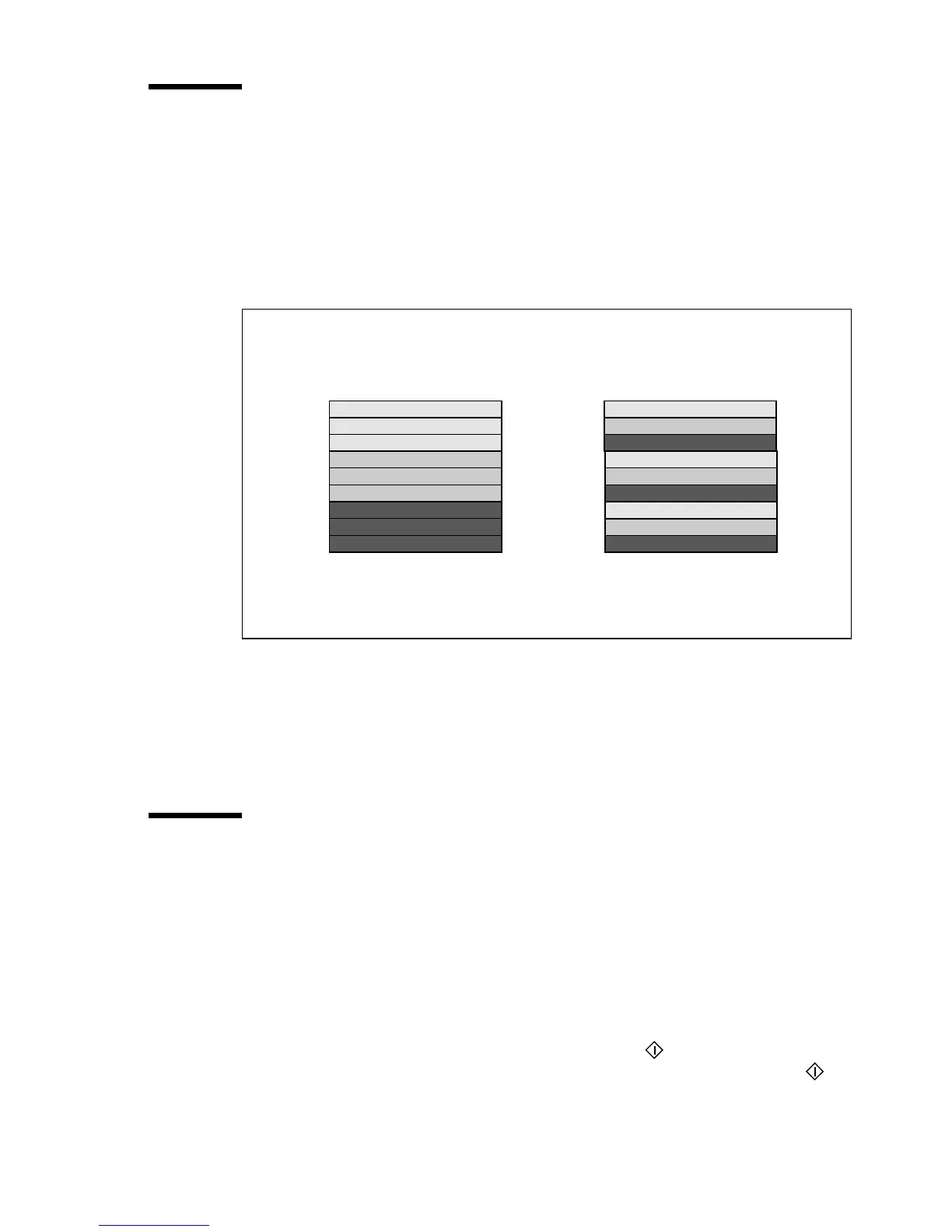
You can use the ‘Input’ setting to indicate how a job is sorted: the ‘sheet’
option prepares each sheet as a separate job
(see figure 11).
Select ‘set’ to keep the copies together and to prevent the interruption with a
print job. ‘set’ makes a copy for each sheet in a set and continues with the next
copy of the complete set
(see figure 11).
:
[11] Difference between the ‘sheet’ option and the ‘set’ option
▼ Select the input mode
1 Press the ‘input’ key to select the input mode ‘sheet’ or ‘set’.
The selected indicator lights up.
To copy sets
Use the input mode ‘set’ to copy sets of originals. The originals will be scanned
sheet by sheet and the image information will be stored in memory. When you
press the Start key to close the set the printer prints the output.
▼ How to copy sets
1 Press the ‘input’ key to select the input mode ‘set’.
2 Insert an original.
3 Add the originals to the set and press the Start key .
4 After the last scan of the set, remove the original and press the Start key to
close the set.
page 1
page 1
page 1
page 2
page 2
page 2
page 3
page 3
page 3
page 1
page 2
page 3
page 1
page 2
page 3
page 1
page 2
page 3
Output with the input mode ‘sheet’
Output with the input mode ‘set’.
Print 3 copies of a 3 - page document



 To Next Page