128 Océ TDS320 User Manual
Paper jam in the fuser section
Caution: Open the fuser only to remove the paper after a media jam.
Because of hot surfaces the operator always has to be cautious and wear
heat-protective gloves when he removes material in the fuser section.
▼ How to clear a jam in the fuser section
1 Press the On-line / Off-line key to turn the printer off-line.
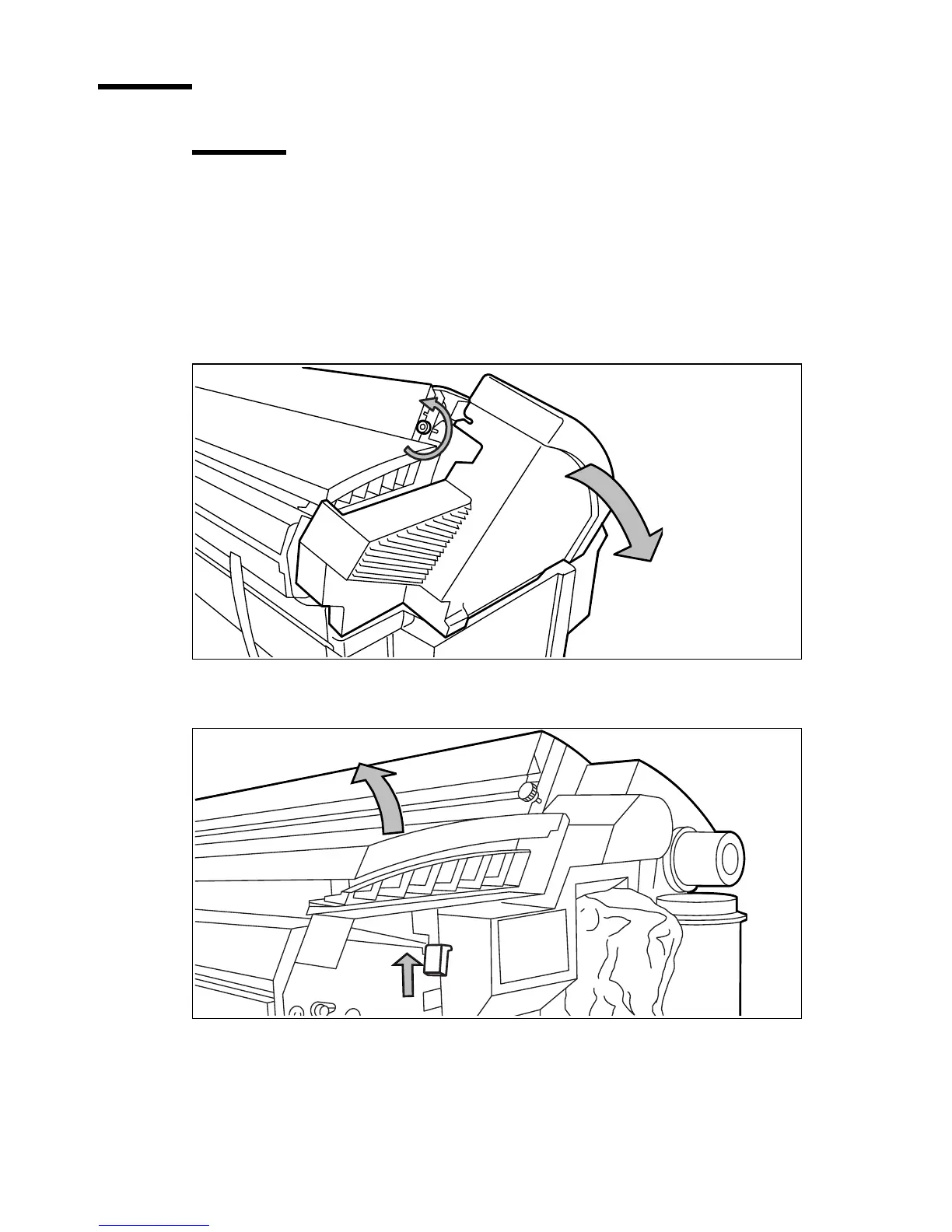
2 Loosen the screw at the left hand side of the machine and open the cover (see
figure 60).
[60] Unscrew the knurled nut to open the cover
3 Lift the green handle (see figure 61).
[61] Lift the green handle
4 Open the fuser unit (see figure 62).



 To Next Page