124 Océ VarioPrint 2090 Configuration and maintenance manual
Attention: Do not remove the stapler cartridge if the jaws are (partly)
closed. If you did remove the stapler cartridge when the jaws were open,
save the stapler cartridge. The service technician repairs the stapler
cartridge at the next service visit.
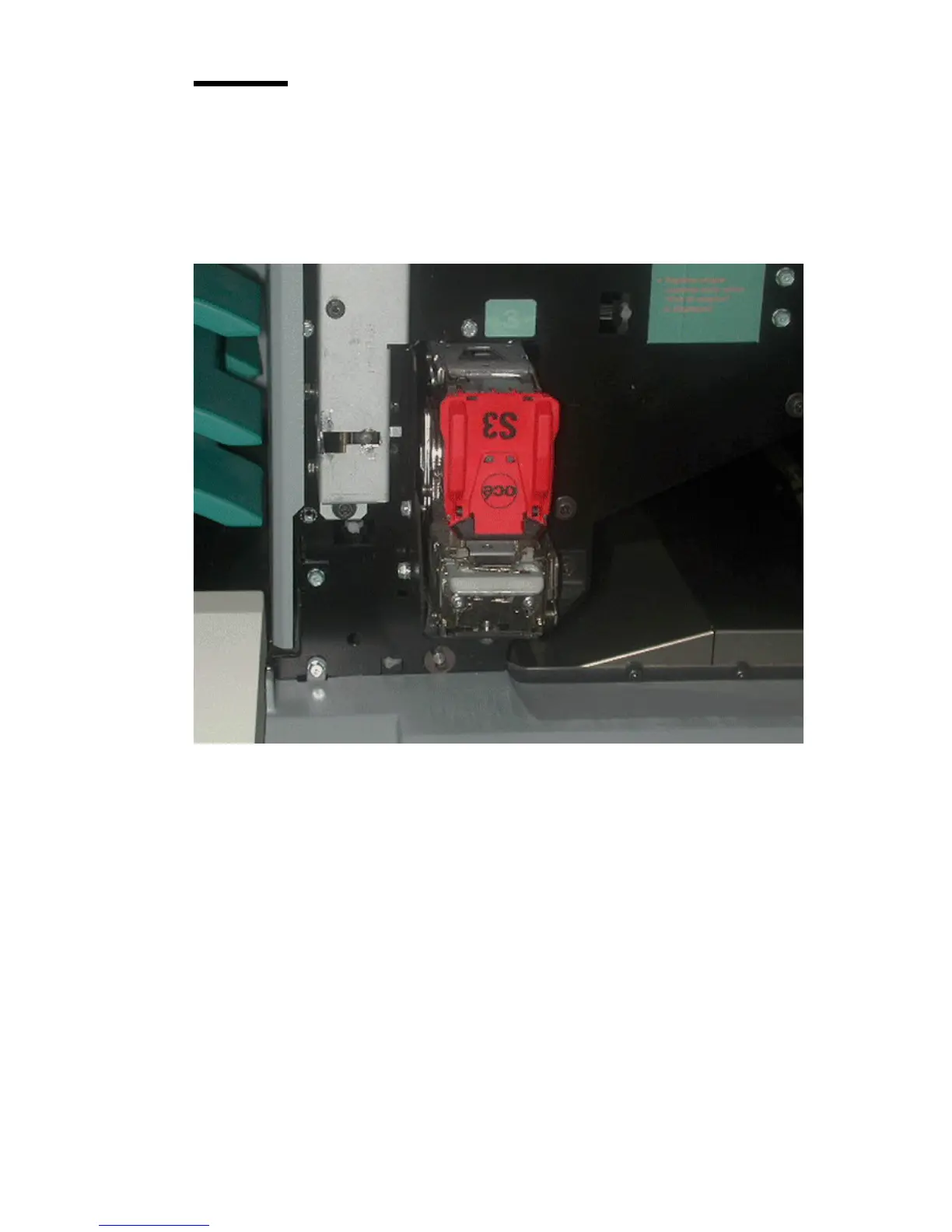
Illustration
[65] Loc ation of th e off-line stapler
[65] Location of the off-line stapler
How to access stapler 3 (off-line stapler)
1
Open the front door of the finisher.
2 The stapler cartridge is found in the left lower-hand corner of the finisher.
Note: The correct position of the off-line stapler cartridge is upside-down.














 To Next Page