70 Océ VarioPrint 2090 Configuration and maintenance manual
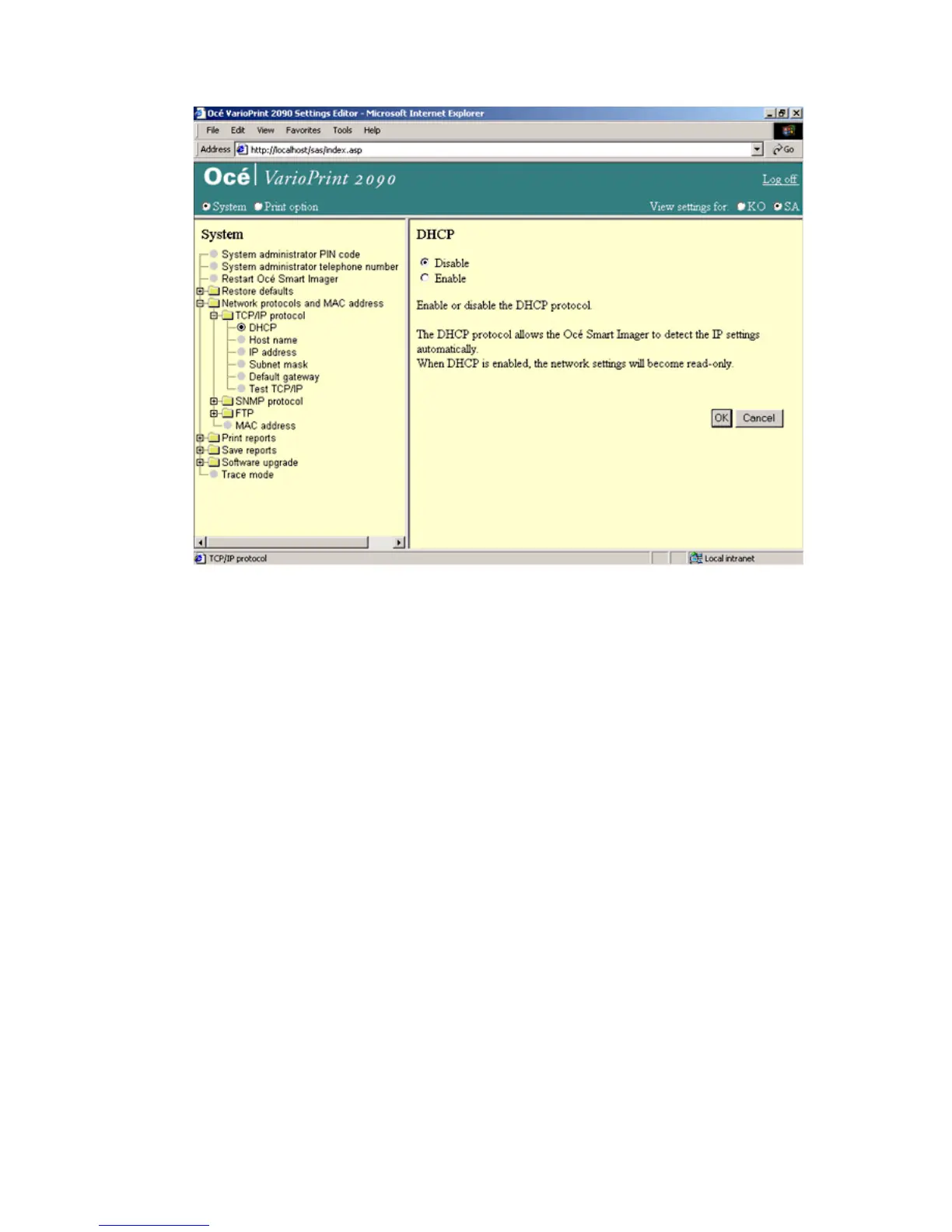
Illustration
[30] Enable DHCP
[30] Enable DHCP
How to enable DHCP for automatic detection of the IP settings
1
Select 'System' in the title bar of the Océ VarioPrint 2090 Settings Editor.
2 Click 'Network protocols'.
3 Click 'TCP/IP protocol'.
4 Select 'DHCP'.
5 Select 'Enable' to apply the DHCP protocol or 'Disable' to do the IP settings
manually.
6 Click the 'OK' button to apply the changes.
Note: For the host name standards, see the table in this paragraph.














 To Next Page