Wireless configuration for Macintosh using the Océ installer application
69
5
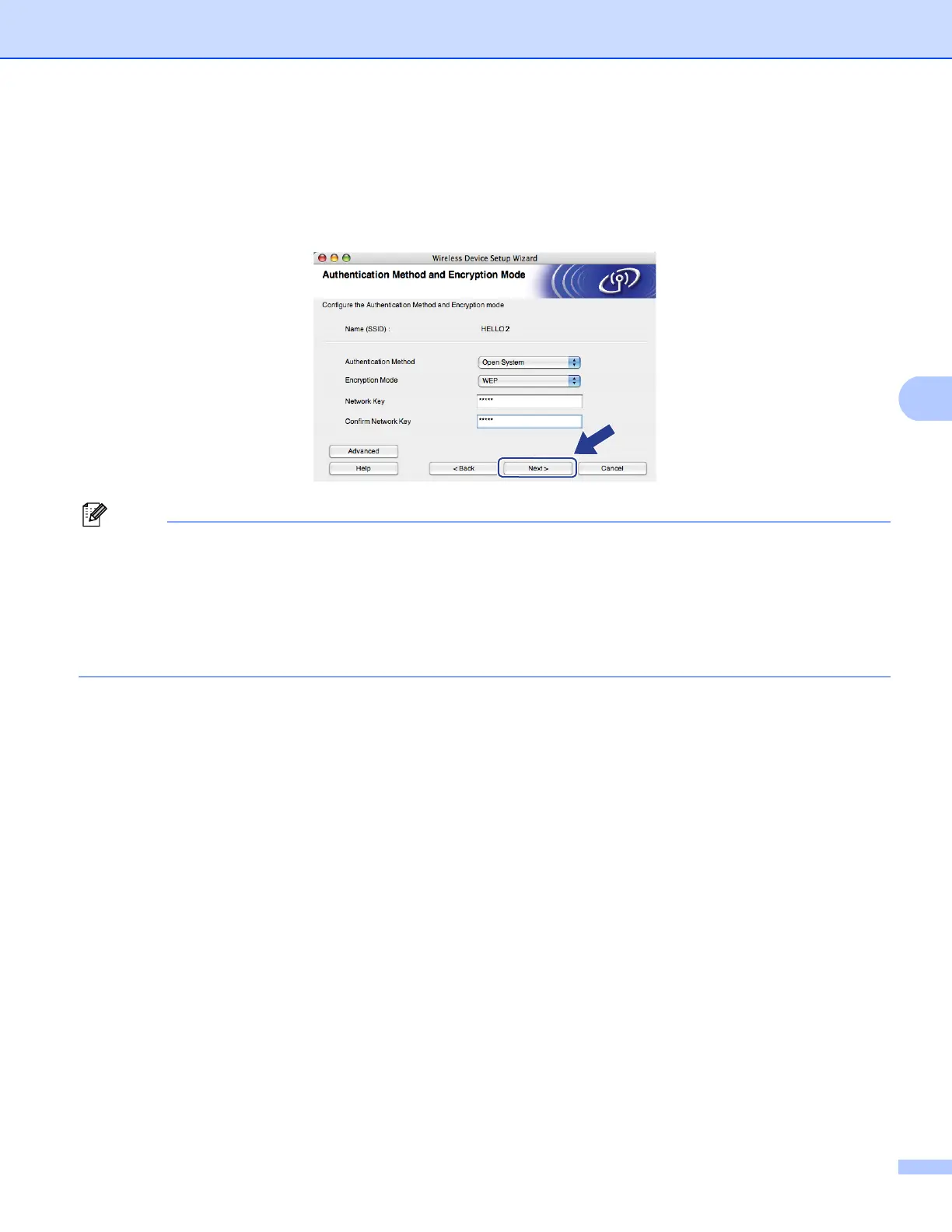
l If your network is configured for Authentication and Encryption, the following screen will appear. When
configuring your machine, you must configure your machine to match the Authentication and
Encryption settings you wrote down on page 63 for your existing wireless network. Choose the
Authentication Method and Encryption Mode from the pop-up menu in each setting box. Then enter
the Network Key and Confirm Network Key, and then click Next.
Note
• If you want to setup or configure additional WEP key indexes other than WEP key1, click Advanced.
• If you do not know the Authentication or Encryption settings for your network, contact your network
administrator or the manufacture of your access point / router.
• If you are using WEP and the printed Network Configuration page in step m shows Link OK in the
Wireless Link Status, but the machine is not found on your network, make sure you entered the WEP
key correctly. The WEP key is case sensitive.














 To Next Page