Wireless configuration for Macintosh using the Océ installer application
81
5
For example: 5
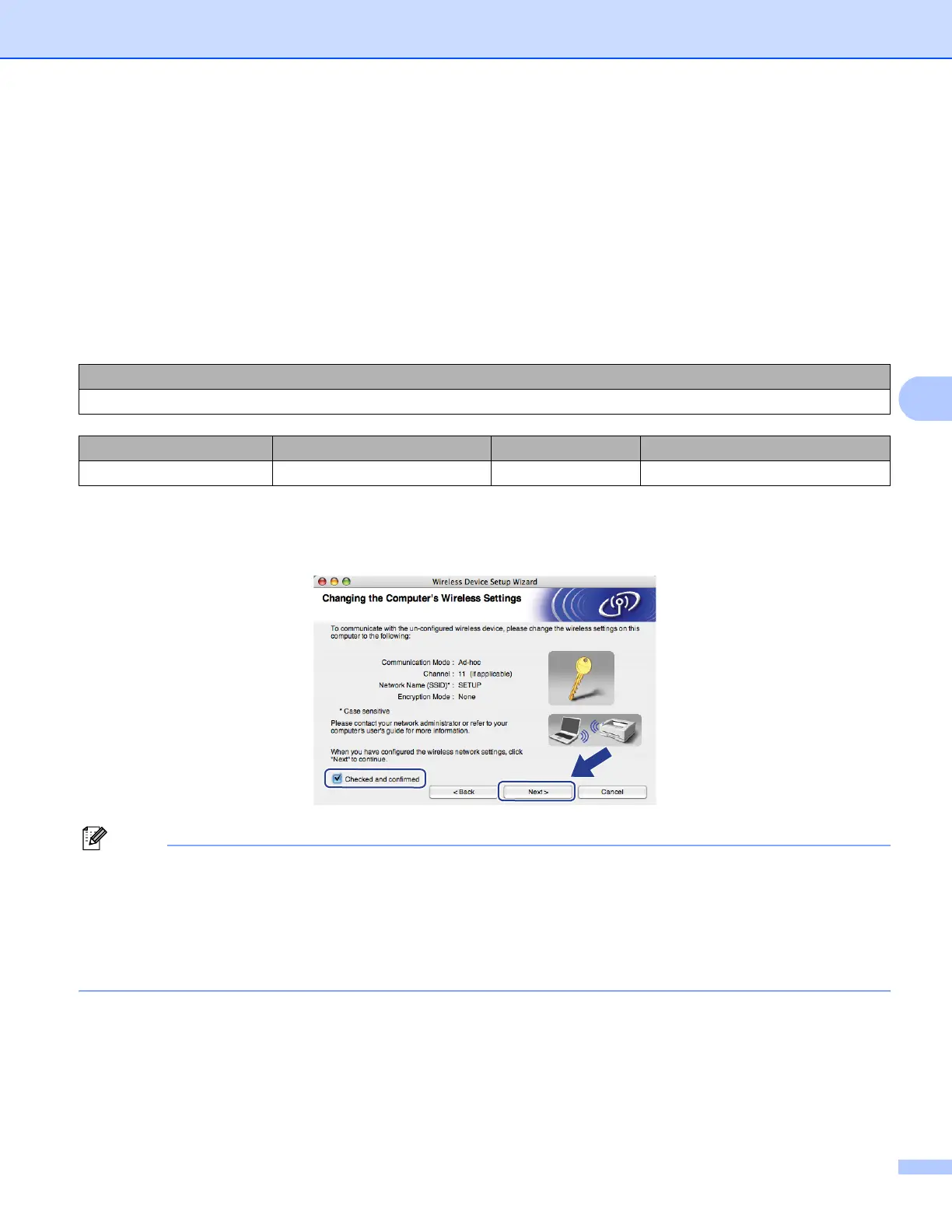
k To communicate with the un-configured wireless machine, temporarily change the wireless settings on
your computer to match the machine’s default settings shown on this screen. Check the box after you
confirm these settings, and then click Next.
Note
You can temporarily change the wireless settings on your computer, following the steps below:
1 Click the AirPort status icon.
2 Select SETUP from the pull-down list.
3 Your wireless network is connected successfully.
For example:
64-bit ASCII: Uses 5 text characters e.g. “Hello” (this is case sensitive)
64-bit Hexadecimal: Uses 10 digits of hexadecimal data e.g. “71f2234aba”
128-bit ASCII: Uses 13 text characters e.g.
“Wirelesscomms” (this is case sensitive)
128-bit Hexadecimal: Uses 26 digits of hexadecimal data
e.g.“71f2234ab56cd709e5412aa3ba”
Network name:(SSID, ESSID)
HELLO
Communication Mode Authentication method Encryption mode Network key
Ad-hoc Open system WEP 12345














 To Next Page