Wireless configuration for Macintosh using the Océ installer application
80
5
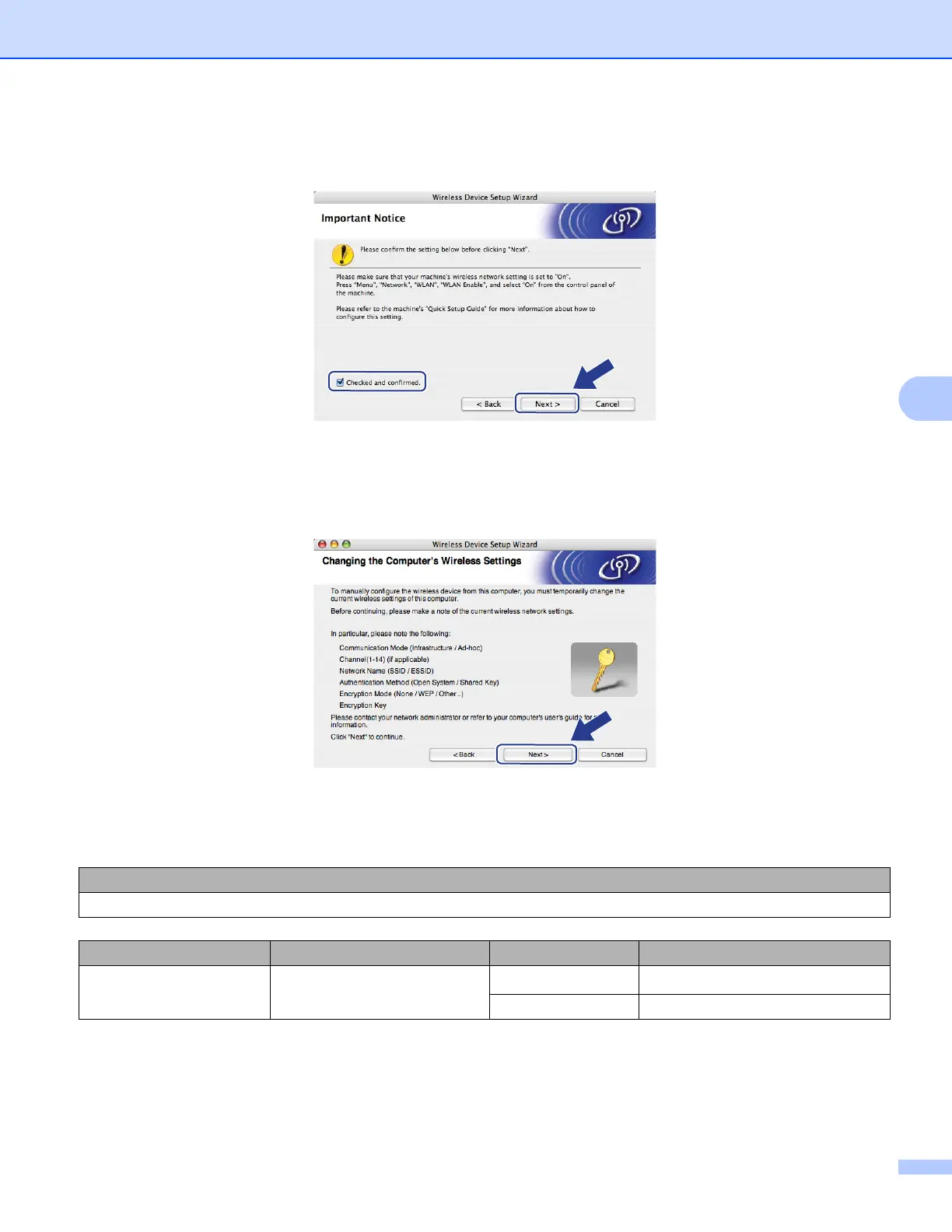
i Read the Important Notice. Check the box after you confirm the wireless setting is enabled, and then
click Next.
j You need to temporarily change your computer’s wireless settings. Follow the on-screen instructions.
Make sure you take notes on all the settings such as SSID, channel, authentication and encryption of
your computer. You will need them to return your computer back to its original wireless settings, and then
click Next.
If you want to configure your machine for the wireless network you have been using, write down your
wireless network settings before configuration.
Check and record the current wireless network settings.
1
The WEP key is for 64-bit encrypted networks or 128-bit encrypted networks and can contain both numbers and letters. If you do not know
this information you should see the documentation provided with your access point or wireless router. This key is a 64-bit or 128-bit value
that must be entered in an ASCII or HEXADECIMAL format.
Network name:(SSID, ESSID)
Communication Mode Authentication method Encryption mode Network key
Ad-hoc Open system
WEP
1
NONE —














 To Next Page