CHAPTER 1 - GETTING STARTED
Explorer
®
Series Service Manual 9 Ohaus Corporation www.ohaus.com
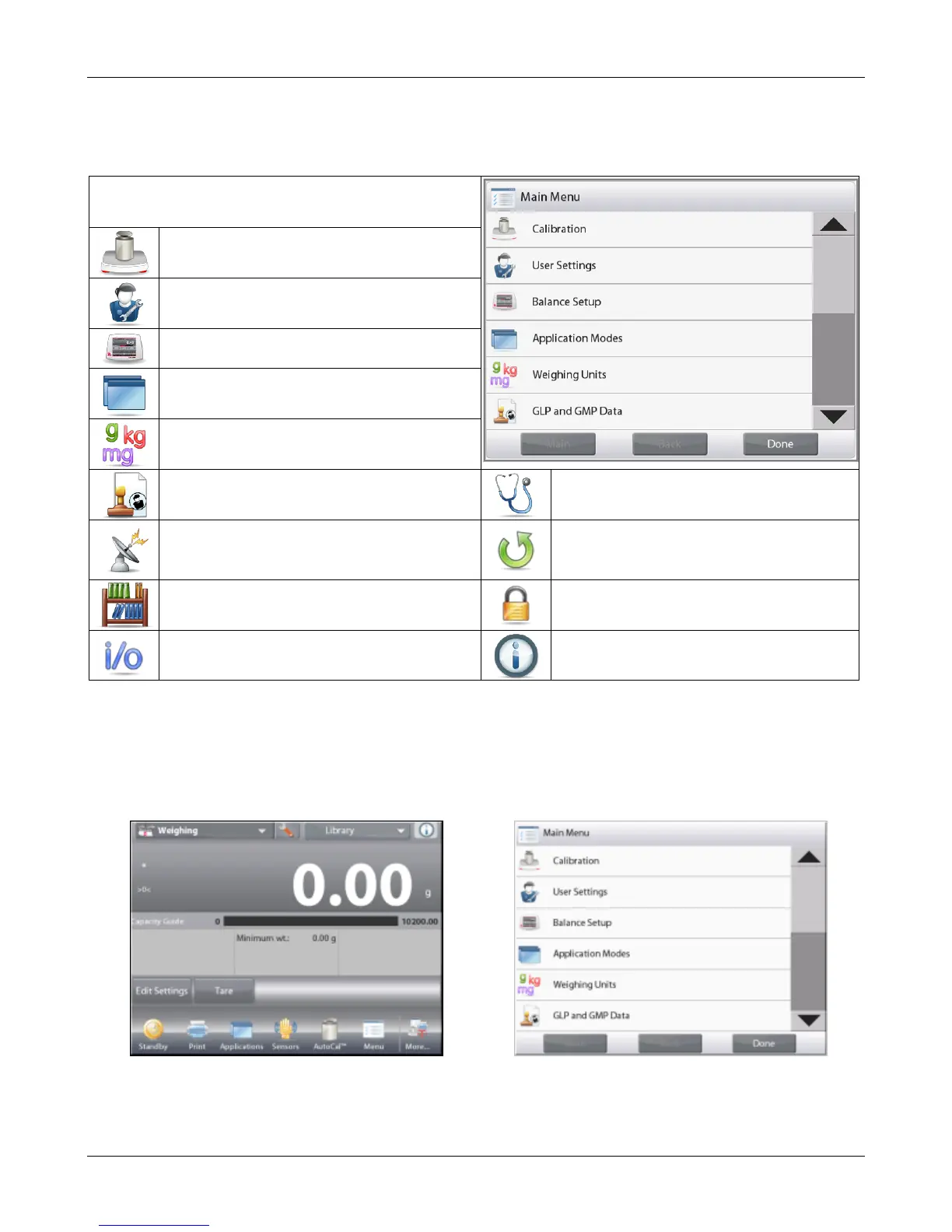
1.5.2 Main Menu and Principal Functions
TABLE 1-3 MENU AND SCREEN NAVIGATION
Touch Menu to open the menu list.
Touch and drag the Scroll bar to view additional items.
Calibration:
Touch to view calibration options.
User Settings:
Touch to view user preferences.
Balance Setup:
Touch to view balance settings.
Application Modes:
Touch to view application modes.
Weighing Units:
Touch to view weighing units.
GLP and GMP Data:
Insert user data for traceability.
Diagnostics:
Touch to view library items.
Communication:
Touch to view COM Device Settings and
Print Settings.
Factory Reset:
Touch to view diagnostics list.
Library:
Touch to view library items.
Lockout:
Touch to view diagnostics list.
I/O Settings:
Touch to view library items.
Information:
Touch to view list of topics.
1.5.3 Menu Navigation
All menu navigation is performed by touching the display. To enter the Menu, touch Menu from
any Application Home screen. The Main menu appears, with buttons for Main, Back and Done.
Continue touching the appropriate list item to navigate to the Menu items or touch a button to
change location.













 To Next Page