CHAPTER 3 - MAINTENANCE / REPAIR PROCEDURES
Ohaus Corporation www.ohaus.com 22 Explorer
®
Series Service Manual
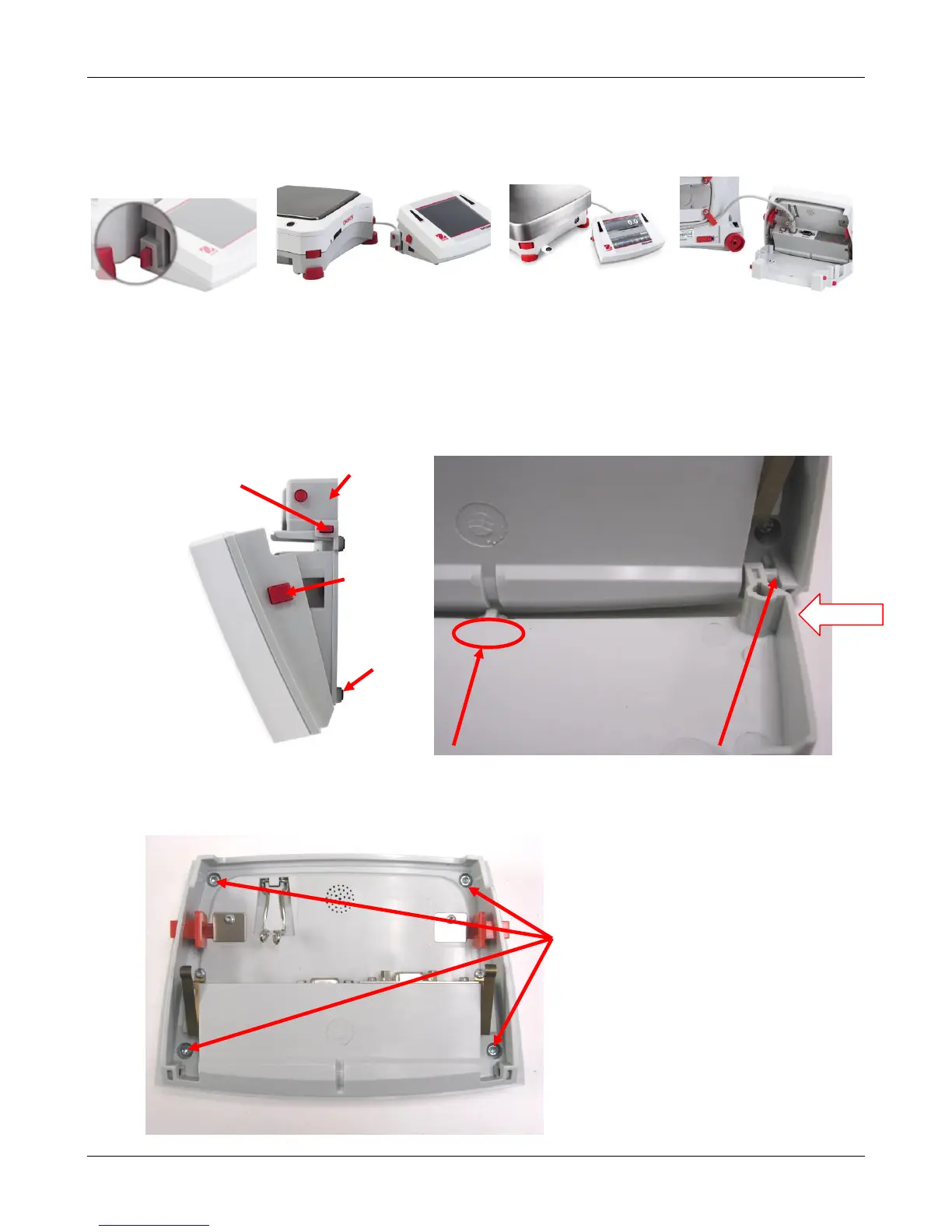
5. Detach and disconnect the Indicator module.
To detach, press both the Release buttons inward (both at the same time) and gently pull the
Terminal towards you (outward) until the Terminal is detached. Disconnect the Terminal Cable.
3.2.2 Opening the Terminal Module
1. Remove the Terminal Bracket from the Terminal Module. Press the two Angular Adjust
Buttons to allow the Terminal Bracket to swing free. Flex the bracket it at its center to release
one hinge pivot at a time.
Flex center of bracket down Slide hinge pivot out of hole
2. Remove the 4 screws securing the Terminal Top and Bottom Housings.
Screws that secure the housings













 To Next Page