CHAPTER 3 - MAINTENANCE PROCEDURES
Explorer
®
Series Service Manual 37 Ohaus Corporation www.ohaus.com
3.6 REPLACING THE PRINTED CIRCUIT BOARD ASSEMBLIES (PCBA)
Before working with the exposed PCBAs appropriate ESD protection must be taken to prevent
damage to the sensitive electronic components. It is recommended that a conductive mat with wrist
straps be used when working with electronic components.
3.2.5 Terminal
1. Open the Terminal Module – see Section 3.2.
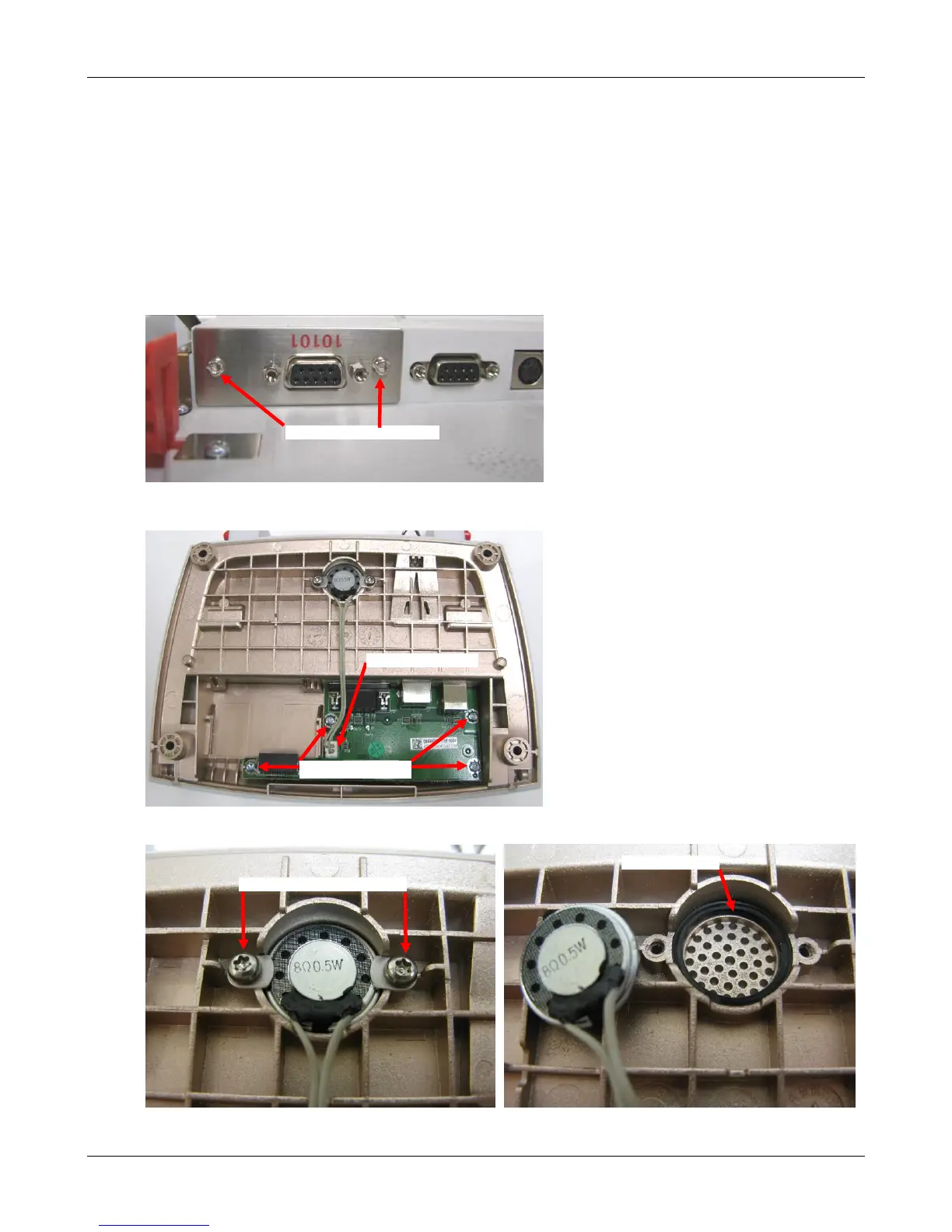
2. Remove the accessory module, if equipped.
• Remove the 2 retaining screws in the mounting plate.
• Slide out the module
3. Remove the Interconnect PCBA – Disconnect the speaker connector from the Connector
PCB, remove the 4 mounting screws and slide the PCBA forward and up to remove.
4. To remove the speaker remove the 2 screws and lift out.













 To Next Page