CHAPTER 3 - MAINTENANCE / REPAIR PROCEDURES
Ohaus Corporation www.ohaus.com 38 Explorer
®
Series Service Manual
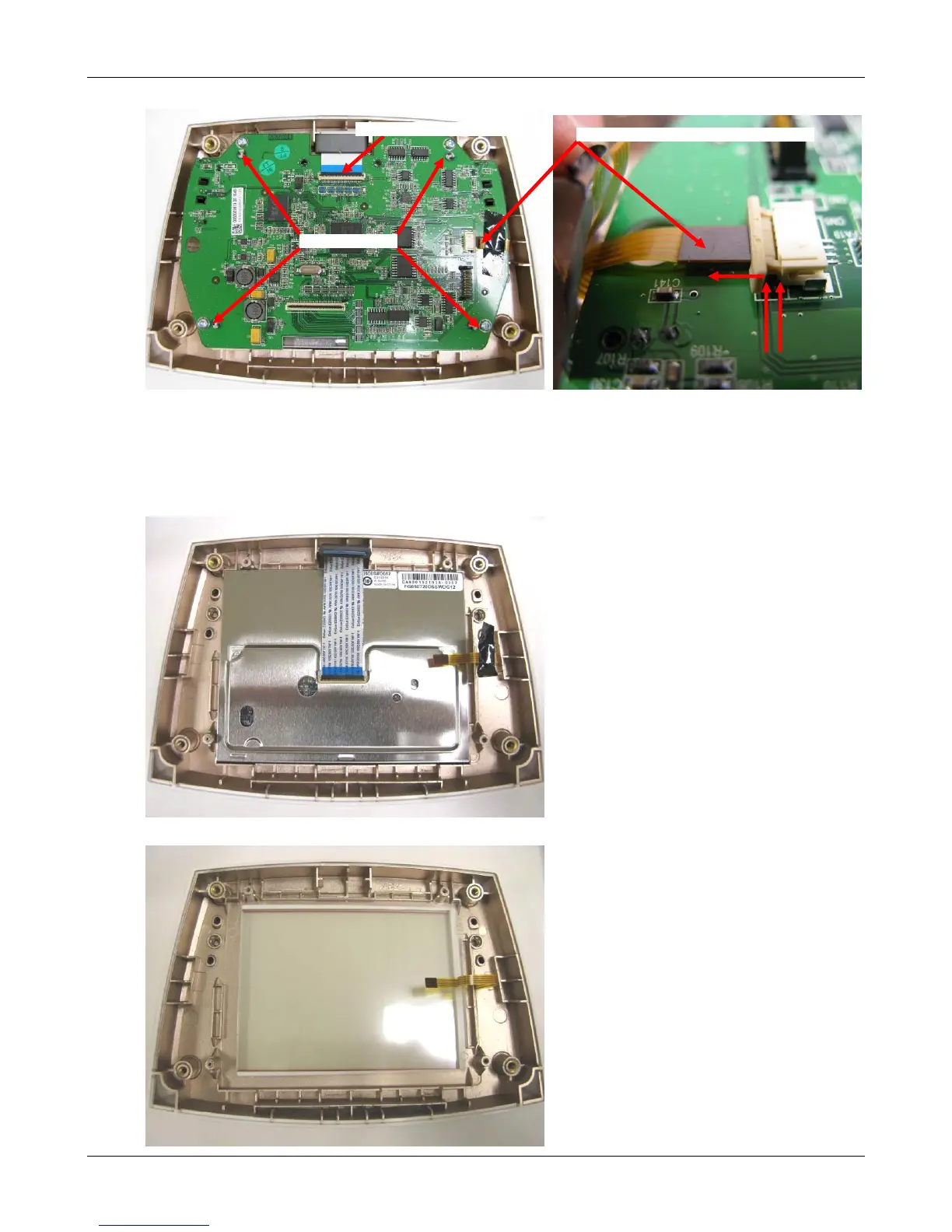
5. Remove the Main PCBA
• Unlock the LCD ribbon cable connector (see“OpeningtheTerminalModule”above).
Removing the cable.
• Disconnect the Touch Panel flex cable by sliding the black release. Remove the cable
from the connector.
• Remove the 4 mounting screws and lift out the Terminal Main PCBA.
6. Remove the LC Display by simply lifting it out.
7. See Section 3.6 for instructions on changing the Touch Panel.













 To Next Page