CHAPTER 1 - GETTING STARTED
Ohaus Corporation www.ohaus.com 14 Explorer
®
Series Service Manual
1.8 Securing the Menu and Key Lock menu settings
A slide switch is used to secure the Menu Lock and Key Lock menu settings. When the switch is set
to the ON position, the Menu Lock and Key Lock menu settings may be viewed but not changed.
This switch is located under the Base.
Set the position of the switch to ON by sliding the external Lock Switch to LOCKED.
When the switch is in the ON position, the start up display includes the LOCK ON message.
Note: This switch is also used in conjunction with the Legal for Trade menu item. When the Legal
for Trade menu is set to ON, the switch must be set to the ON position to prevent calibration and
changes to metrologically significant settings.
Explorer Switch Explorer High Capacity (EX12001, EX24001, EX35001)
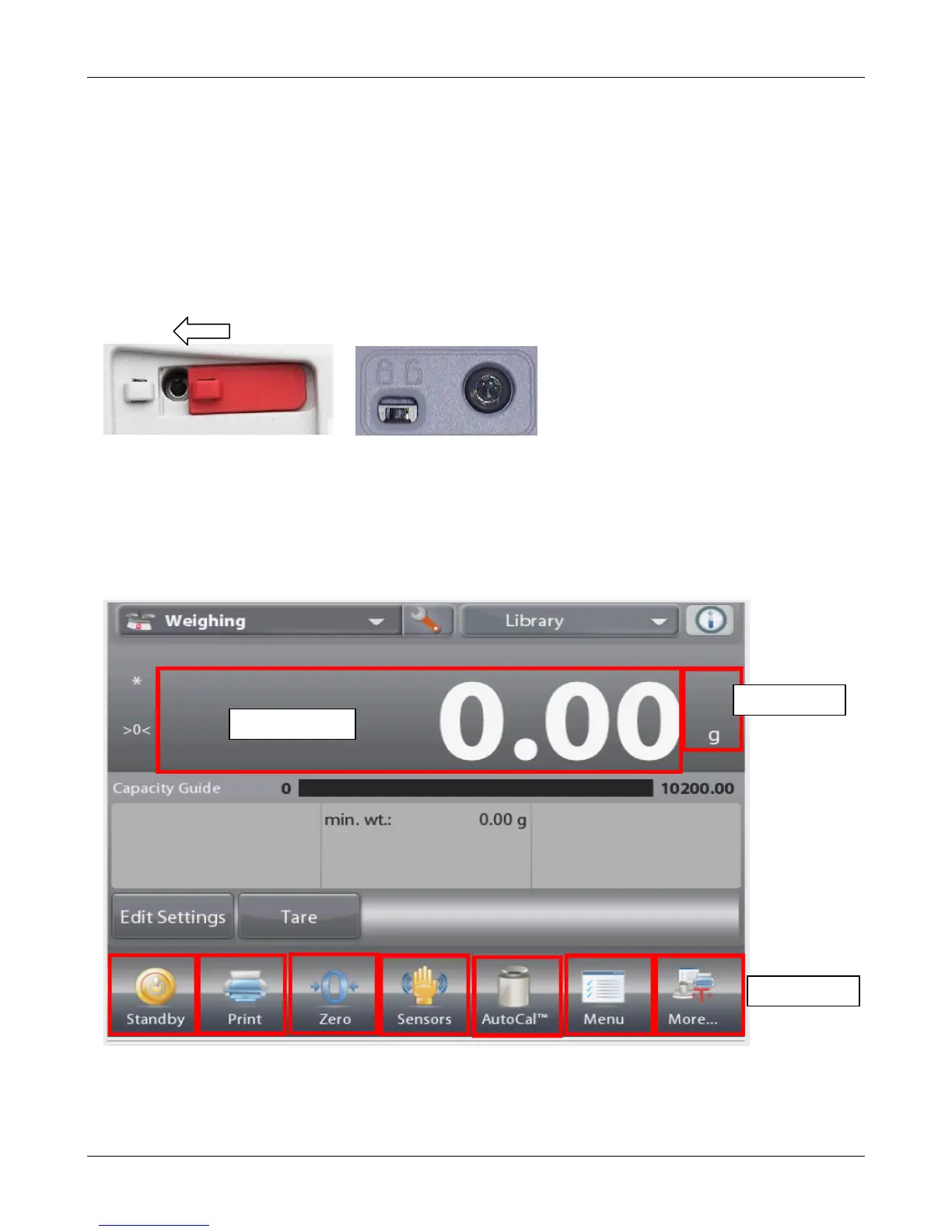
1.9 Display Touch Areas
The display touch areas that are active will change with the screen layout. Button areas will always
be active but some areas will require familiarity with the Explorer
®
man-machine interface.
Application with Single line:













 To Next Page