EasyManua.ls Logo

OHAUS Explorer Balances - Page 37

OHAUS Explorer Balances
86 pages
Print Icon
To Next Page IconTo Next Page
To Previous Page IconTo Previous Page
Loading...
CHAPTER 3 - MAINTENANCE PROCEDURES
Explorer
®
Series Service Manual 31 Ohaus Corporation www.ohaus.com
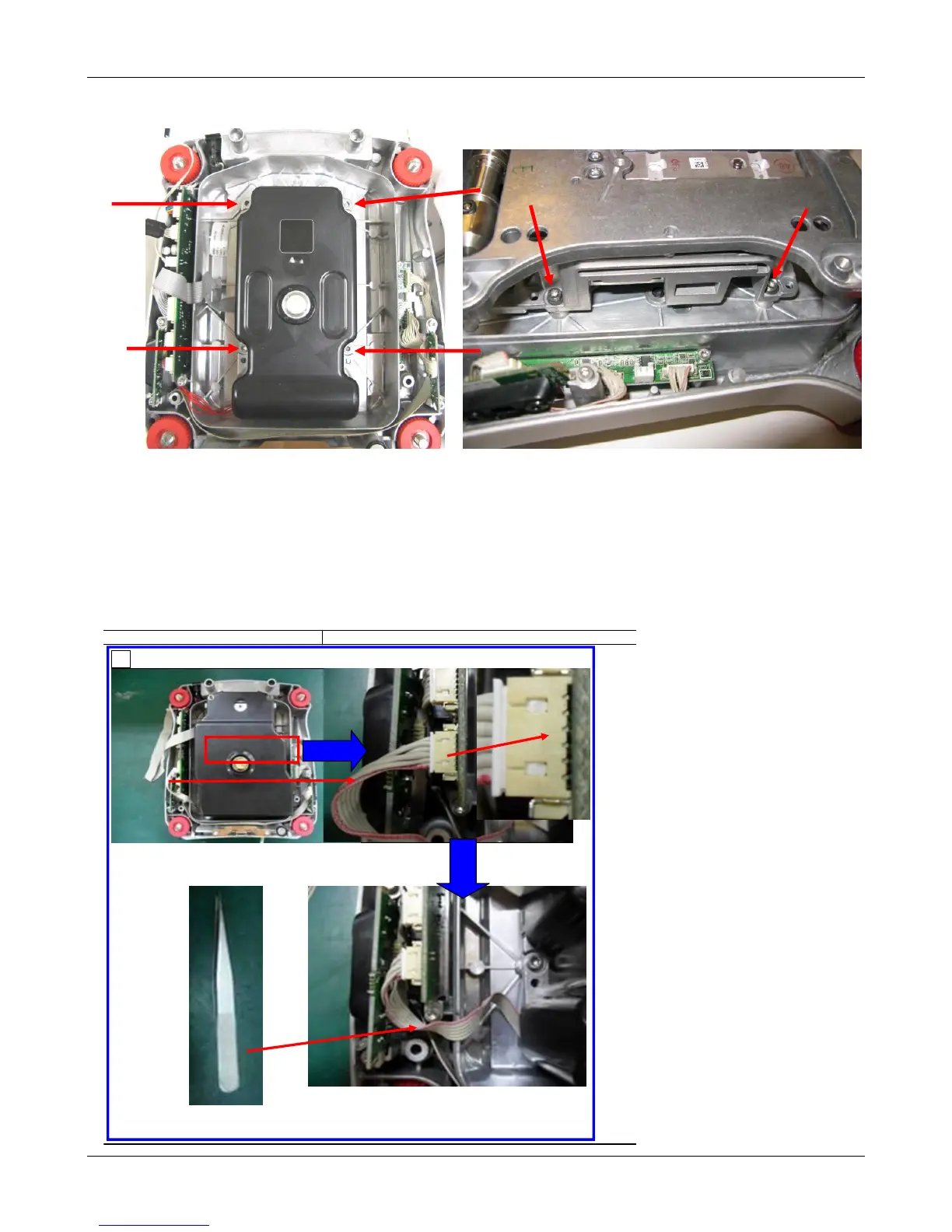
4. Remove the Load Cell remove the 4 load cell screws from the bottom housing. Lift the Load
Cell Module from the Base. Do not lift by the Pan Support Cone or the cables.
Re-Assembly:
Reverse the disassembly procedure to assemble the balance. Ensure that there is no foreign
material between the Base mounting surfaces and the Load cell.
Take special care to route the wires and cables as shown in the following pictures. Proper routing is
important for RFI/ESD performance. Ensure that the wires or cables are not pinched during re-
assembly.
InCal cable routing Draftshield models:
Item
Part No.
编号
Description
Qty
Item
Part No.
编号
Description
Qty
Item
Description
Qty
1
Static strip
1
2
Fixture
1 S/N Dept.
QTY.
1
2
3
S/N Dept.
Station code
1
2
3
1st Version Ying Qi A 9/1/2010
DOCUMENT NUMBER
编号
:
PRODUCT FAMILY
:
PRODUCT MODEL
:
VISUAL Assembly WI
视组装
EX
Hard copy
Process
Originator
Tooling and Equipment
设备
Material PREPARED BY :
Ying QI
WI Request: 1.Material; 2.Tools&Equipment; 3.Process description; 4.Picture; 5.Notice; 6.Scope; 7.Version; 8.Originator&Effective date,
Category of distribution
发类
APPROVED BY :
Paperless
Pic
Explorer
Explorer
PROCESS :
HISTORY TRACKING
OF VISUAL AID
CHANGES
记录
OPERATION TITLE
:
SHEET
页码
:
1 of
13.connect the incale cable with the interface of the main PCB.
EHS(
)
:N/A
DOCUMENT
REVISION
ISSUE DATE
Assem bly
Notice
:
13
Nipper
Incale cable

Table of Contents

Related product manuals