APPENDIX C - SOFTWARE SERVICE TOOL INSTRUCTIONS
Explorer
®
Series Service Manual 75 Ohaus Corporation www.ohaus.com
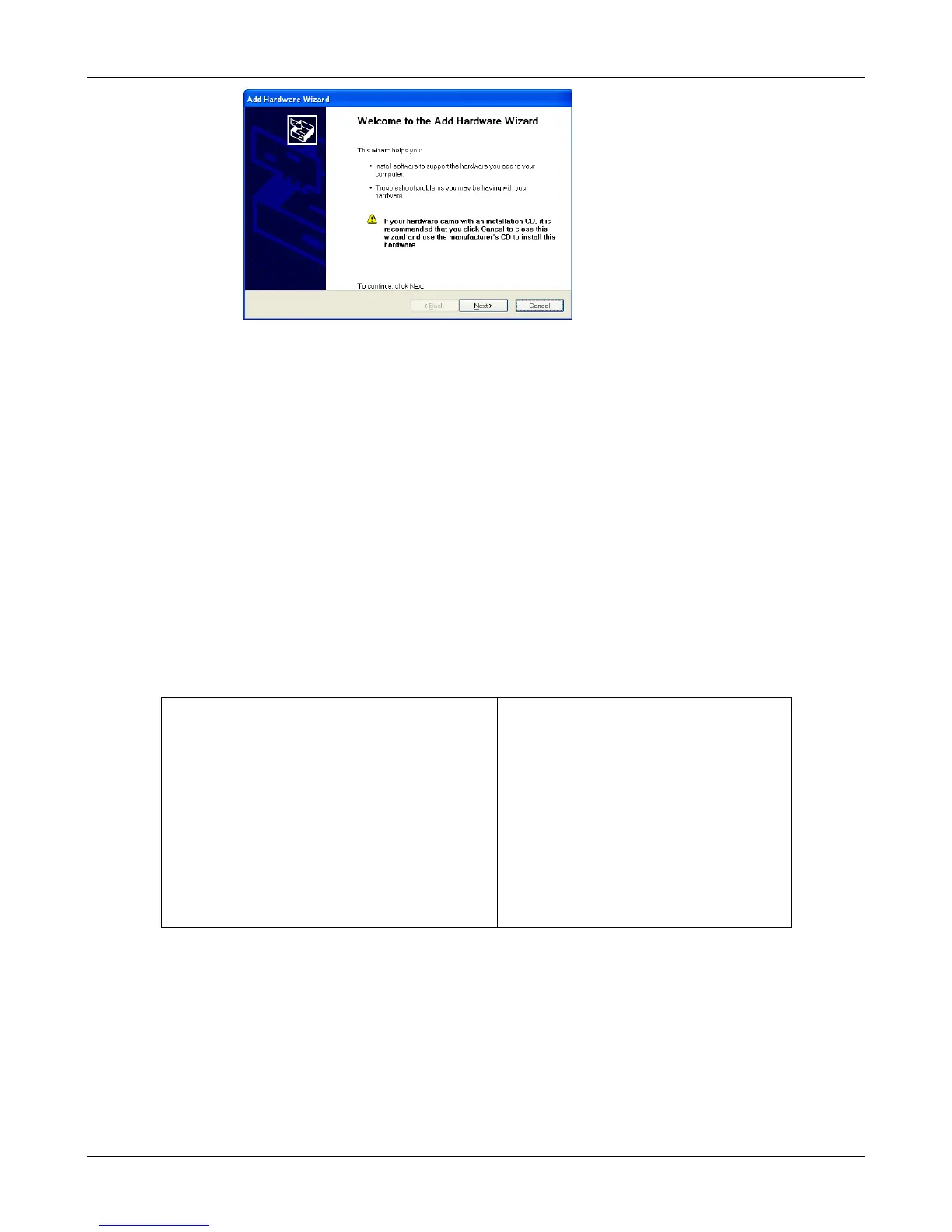
Example of Windows XP Hardware Wizard
3.3.2. After clicking Finish, the virtual port should be ready for use. Windows
®
typically
adds the virtual port in sequence after the highest number COM port. For
example,onPC’sequippedwithupto4COMports,thevirtualportwillbeCOM5.
3.3.3. When using the USB interface with programs that limit the number of COM port
designations (e.g. Ohaus MassTracker allows only COM1, 2, 3, & 4), it may be
necessary to assign one of these port numbers to the new virtual port. This can
be done in the Port Settings of the Device Manager utility, found in the Windows
Control Panel
3.4. Balance Setup for USB interface
3.4.1. The Ohaus Interface is preset to communicate using the following settings:
2400 baud, 7 bit, no parity, no handshake.
To use different settings, it will be necessary to change either the balance
settings, or the computer settings.
3.4.2. Configure the balance to the desired USB and printing parameters.
PRINT
Stable
On, Off
A-Print
Cont, On.Stbl, On.Acc*, 5sec, 15sec,
30sec, 60sec, off
End
Yes, No
*Note: Print and USB menu selections may
vary between the different balance series.
USB
USB
On / Off
Baud
600, 1200, 2400, 4800, 9600, 19200
Parity
7-even, 7-odd, 7-none, 8-none
Handshake
None, Xon-Xoff, RTS-CTS
END
Yes, No













 To Next Page