Oki Data CONFIDENTIAL
42930511TH Rev. 2 244 /
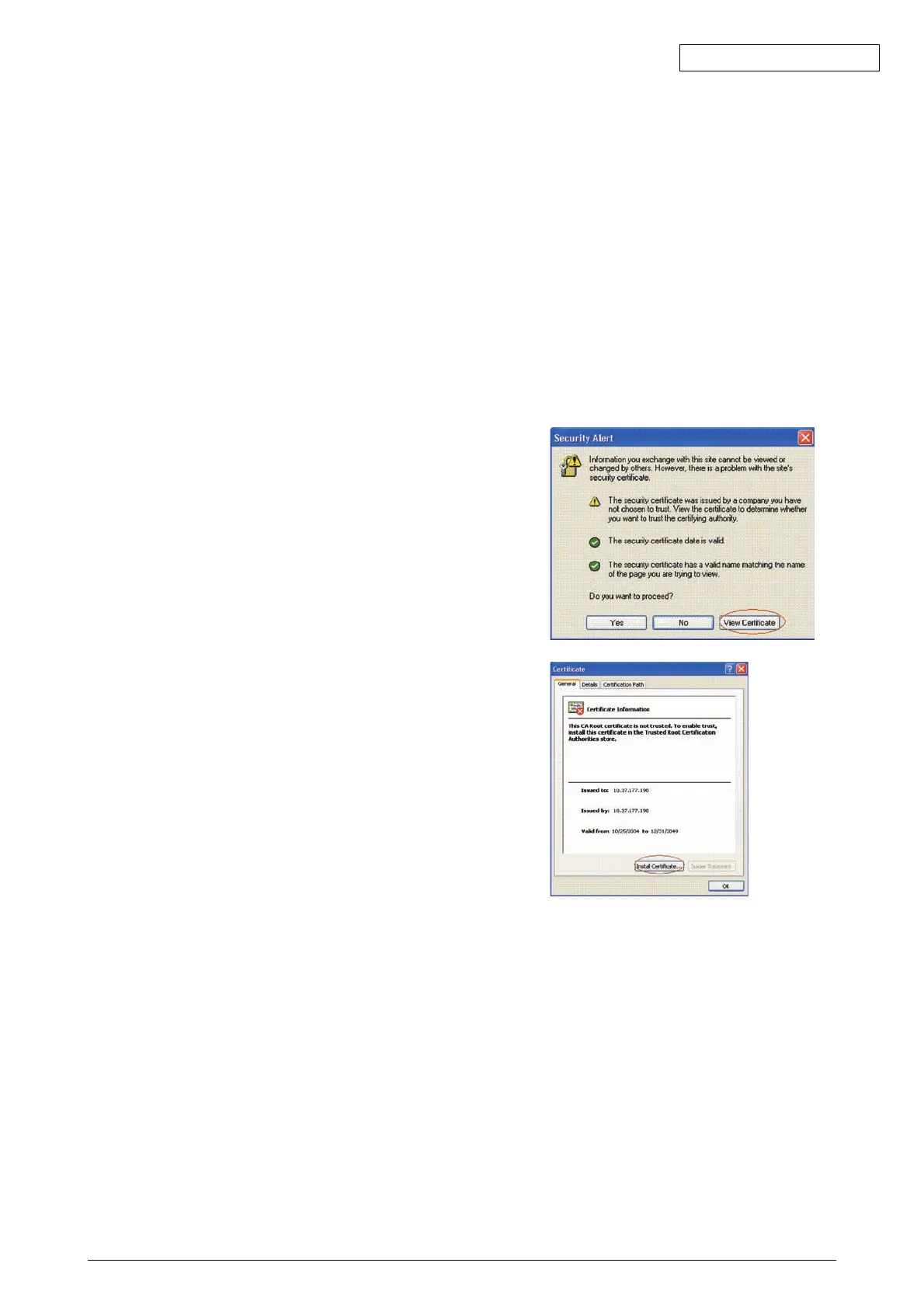
7.8.5.6 Error "The security certificate was issued by a company you have not chosen to trust" is
displayed
When this error is displayed, you may have the following situations:
The certificate installed in the printer is a self-signed certificate. Or the certificate installed in the printer
is a CA-signed certificate and either the CA certificate by the Certification Authority or an intermediate
certificate is not installed in the client PC.
In case of a self-signed certificate, all you have to do is to install the printer's self-signed certificate
in the client PC; then, the error (Security Alert) will no longer appear.)
In case of a CA-signed certificate, all you have to do is to install the CA certificate or the intermediate
certificate by CA in the client PC; then, the error (Security Alert) will no longer appear.)
What to do: Install the certificate in the client PC (browser).
[Steps]
1) Click View Certificate on the error screen (Secu-
rity Alert) that is displayed.
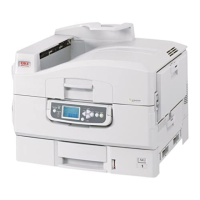
2) In the General tab of the Certificate popup win-
dow, click Install Certificate... button.


 To Next Page