Changing settings from the operator panel
- 121 -
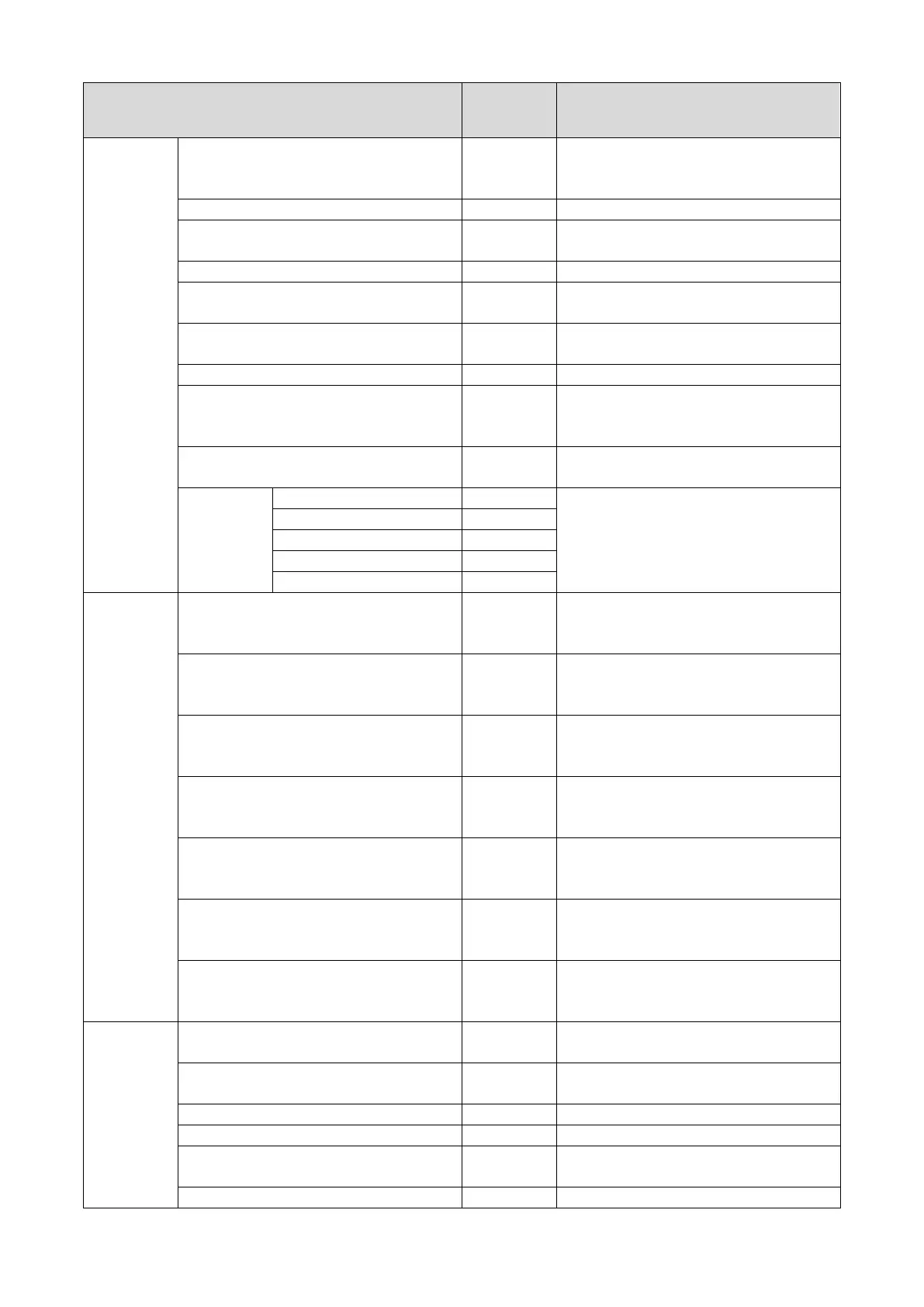
Item
Factory
default
Description
Font Height 12.00 points Sets the PCL font height.
Value range: 4.00 to 999.75 points (in
increments of 0.25 points)
Selects the symbol set of PCL.
A4 Print Width 78 column Sets the number of columns until an auto
carriage return on A4 paper.
Selects whether or not to print blank pages.
CR Function CR Sets the operation of this machine when
LF Function LF Sets the operation of this machine when
Sets the unprintable area of the paper.
True Black Off Sets whether to use composite black (CMYK
mixed color) or pure black (K only) for the
black color (100%) of image data.
Pen Width Adjust On Sets whether to emphasize fine lines and
Tray ID#
Sets the value to specify the tray with the
output specification command of PCL.
Value range: 1 - 59
SIDM Setup SIDM Manual ID# 2 Sets up Pn specified in MANUAL by
MANUAL-1 ID No.FX/PPR Emu in CSF
control command (ESC EM Pn).
SIDM Manual2 ID# 3 Sets up Pn specified in MANUAL by
MANUAL-2 ID No.FX/PPR Emu in CSF
control command (ESC EM Pn).
SIDM MP Tray ID# 4 Sets up Pn specified TRAYO (MP Tray) by
MP Tray ID No.FX/PPR Emu in CSF control
SIDM Tray1 ID# 1 Sets up Pn specified TRAY 1 by Tray 1 ID
No.FX/ PPR Emu in CSF control command
SIDM Tray2 ID# 5 Sets up Pn specified TRAY 2 by Tray 2 ID
No.FX/ PPR Emu in CSF control command
SIDM Tray3 ID# 6 Sets up Pn specified TRAY 3 by Tray 3 ID
No.FX/ PPR Emu in CSF control command
SIDM Tray4 ID# 7 Sets up Pn specified TRAY 4 by Tray 4 ID
No.FX/ PPR Emu in CSF control command
IBM PPR
Setup
Character Pitch 10 CPI Specifies character pitches in IBM PPR
Font Condense 12 CPI to 20
Specifies 12CPI pitches for Condense
Specifies a character set.
Letter O Style Disable Specifies the style that replaces 9BH with
letter o and 9DH with a zero.
Sets the zero to be slashed or unslashed.


 To Next Page