3 – 1
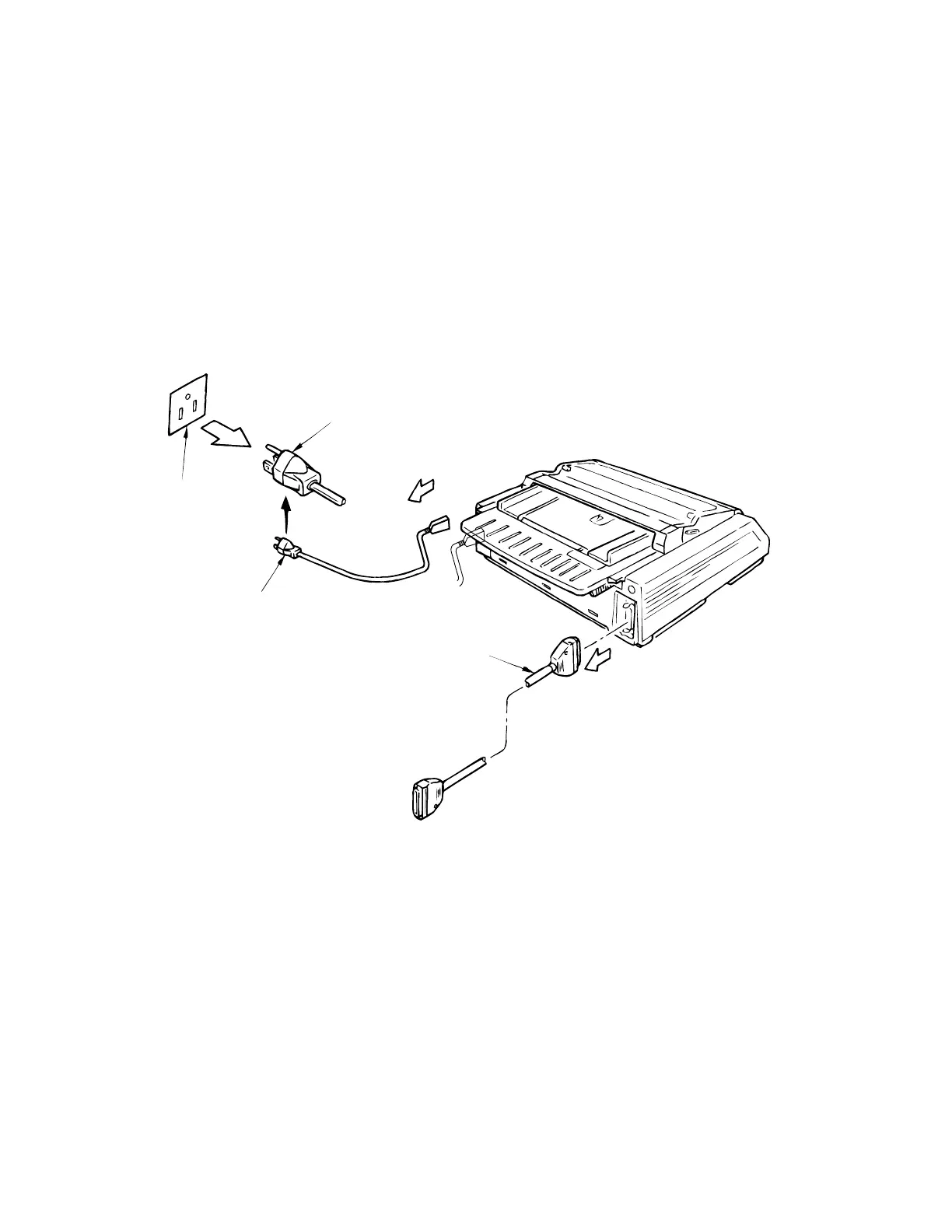
AC plug
AC outlet
Power cord
Interface cable
3. ASSEMBLY/DISASSEMBLY
This section explains the procedures for removing and installing various assemblies and units
in the field.
Description is mainly limited to the removal procedure; installation should basically be performed
in the reverse sequence of the removal procedure.
3.1 Precautions for Parts Replacement
(1) Remove the AC power cord and the interface cable before disassembling or assembling.
(a) Turn off the power switch. Remove the plug of the AC power cord from the outlet.
Remove the power cord from the receptacle on the printer.
(b) To reconnect the power cord, connect it to the recptacle on the printer first, then
plug it into the outlet.
(2) Do not disassemble the printer as long as it is operating normally.
(3) Do not remove unnecessary parts, and limit the extent of disassembly as much as possible.
(4) Use the designated service tools.
(5) Carry out disassembly in the prescribed sequence; otherwise, damage to the parts may
result.
(6) It is advisable to temporarily install screws, snap rings and other small parts in their original
positions to avoid losing them.
(7) Whenever handling the microprocessors, ROM, RAM IC chips and boards, do not use
gloves that may cause static electricity.
(8) Do not place the printed circuit board directly on the equipment or on the floor.
(9) If adjustment is specified in the middle of installation, follow the instructions.



 To Next Page