3 – 26
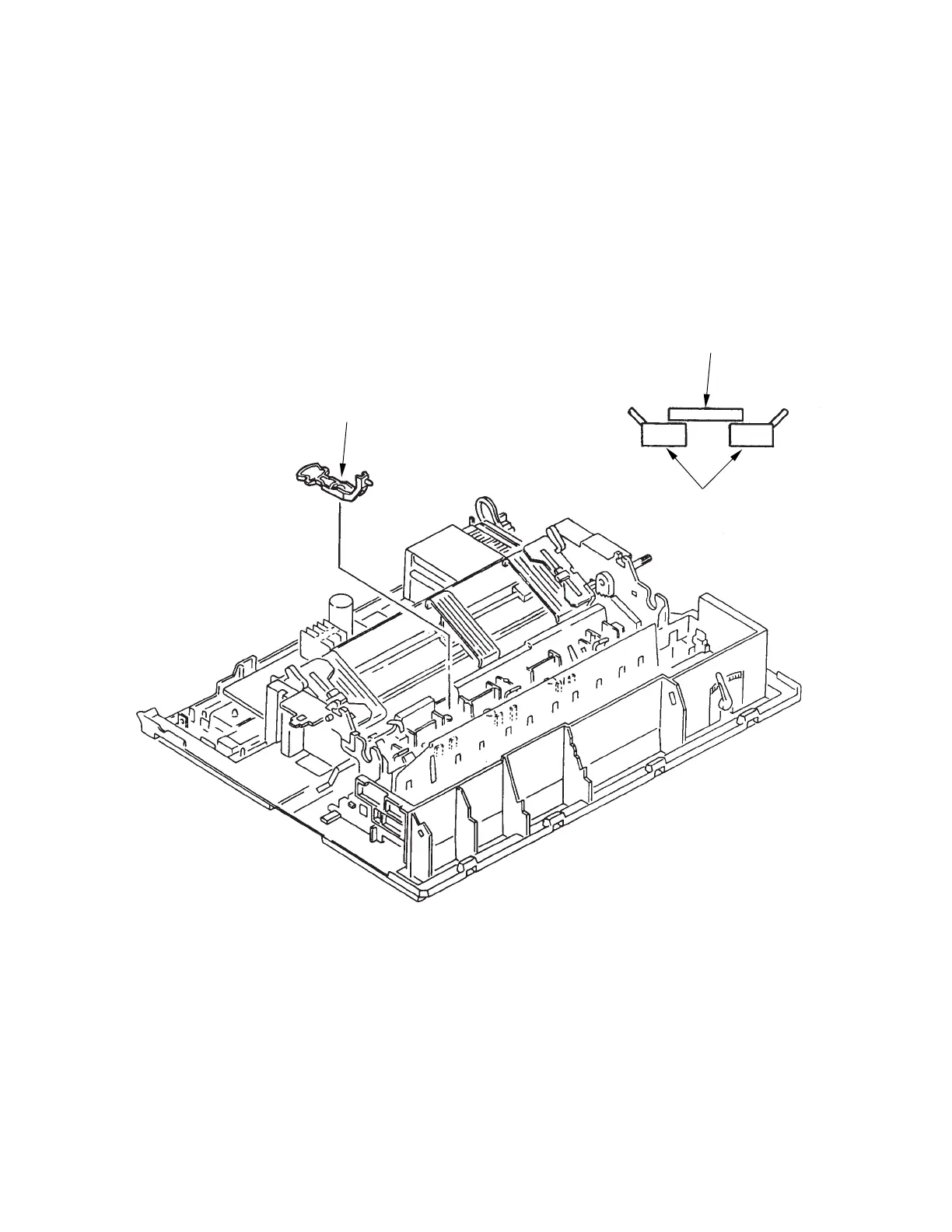
3.3.22 Switch Lever
(1) Remove the upper cover (see 3.3.4).
(2) Remove the change lever and gears (see 3.3.17).
(3) Remove the paper pan (see 3.3.19).
(4) Remove the rear pressure assy (see 3.3.21).
(5) Pull the switch lever toward you and remove it upward.
(6) To install, follow the removal steps in reverse order.
Note on installation:
When installing the switch lever, make sure that the microswitch on the driver board works
properly.
Switch lever
Microswitch
Switch lever



 To Next Page