3 – 16
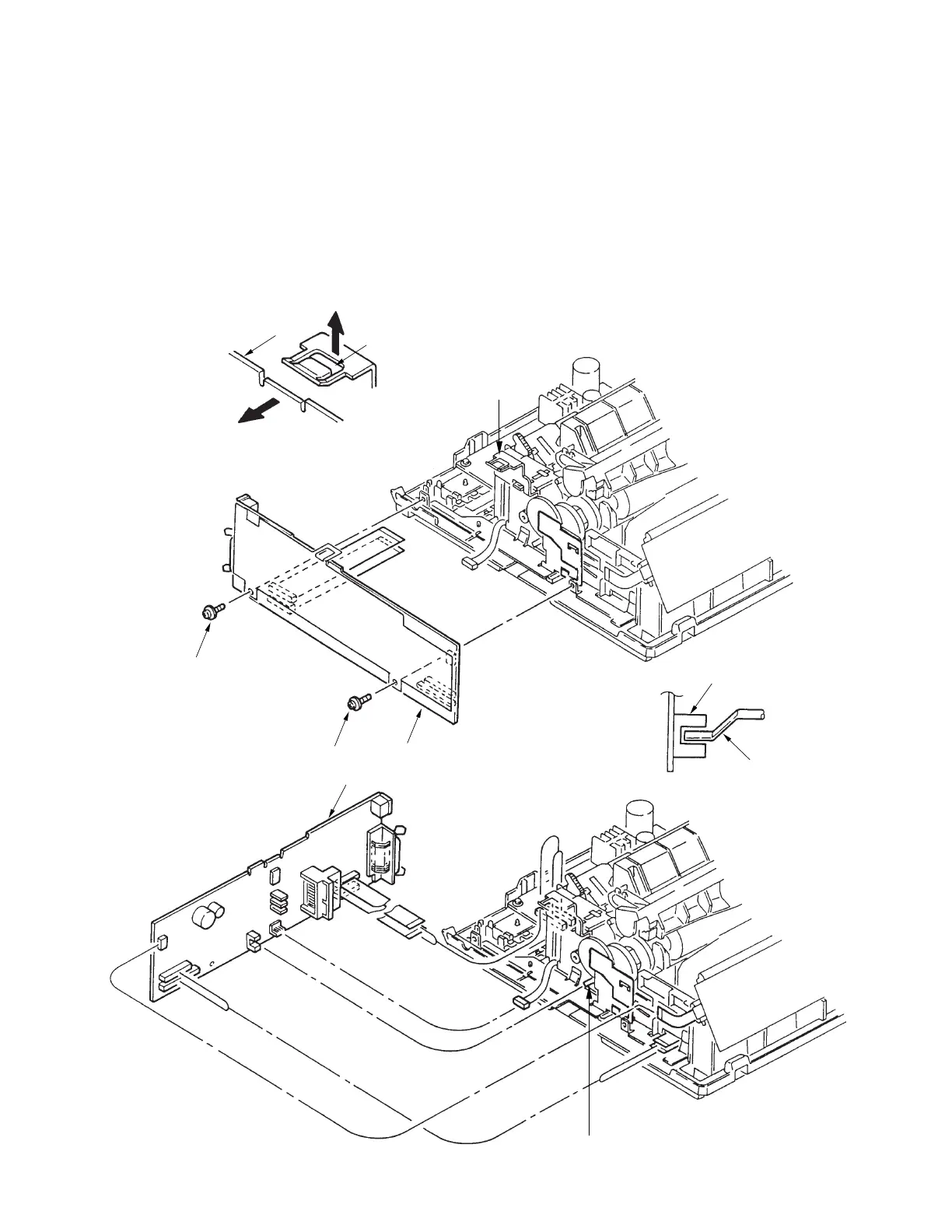
3.3.12 Driver Board (SDDV)
(1) Remove the upper cover (see 3.3.4).
(2) Remove the two screws 1, and release the driver board 2 by lifting clamp 4.
(3) Disconnect all cables from driver board 2.
(4) To install, follow the removal steps in reverse order.
Note on installation
:
Insert sensor lever 3 in the sensor as shown when installing the driver board 2.
2
4
4
2
2
1
1
3
3
Sensor



 To Next Page