3 – 21
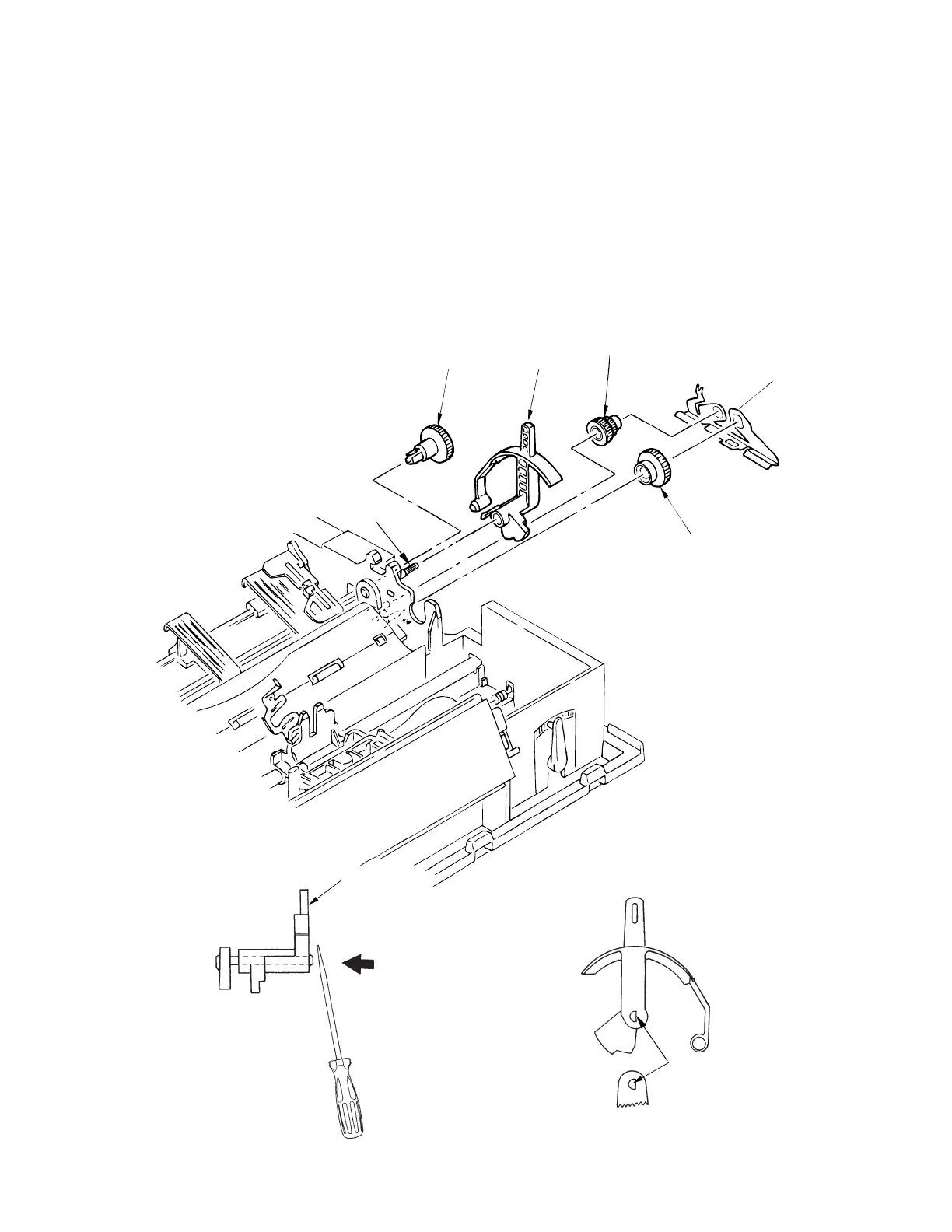
3.3.17 Change Lever and Gears
(1) Remove the upper cover (see 3.3.4).
(2) Release the reset spring 1 from the tab, remove it, then remove the idle gear 2, the tractor
gear 4 and the change gear 5.
(3) Push back the protrusion of the change gear shaft 6
gently
with a flatblade screw driver
to remove the change lever 3.
Note: The change lever can be difficult to remove; be careful
not to exert too much force with the screwdriver. Make sure the springs do not fly off when
you release the change lever from the shaft.
(4) To install, reverse the removal procedure.
Note on istallation:
To insert the change lever into the change gear shaft 6, match the flat surface (D cut).
3
D cut
4
3
5
1
2
6



 To Next Page