81
Preparing and Mounting Flat Connectors Section 4-3
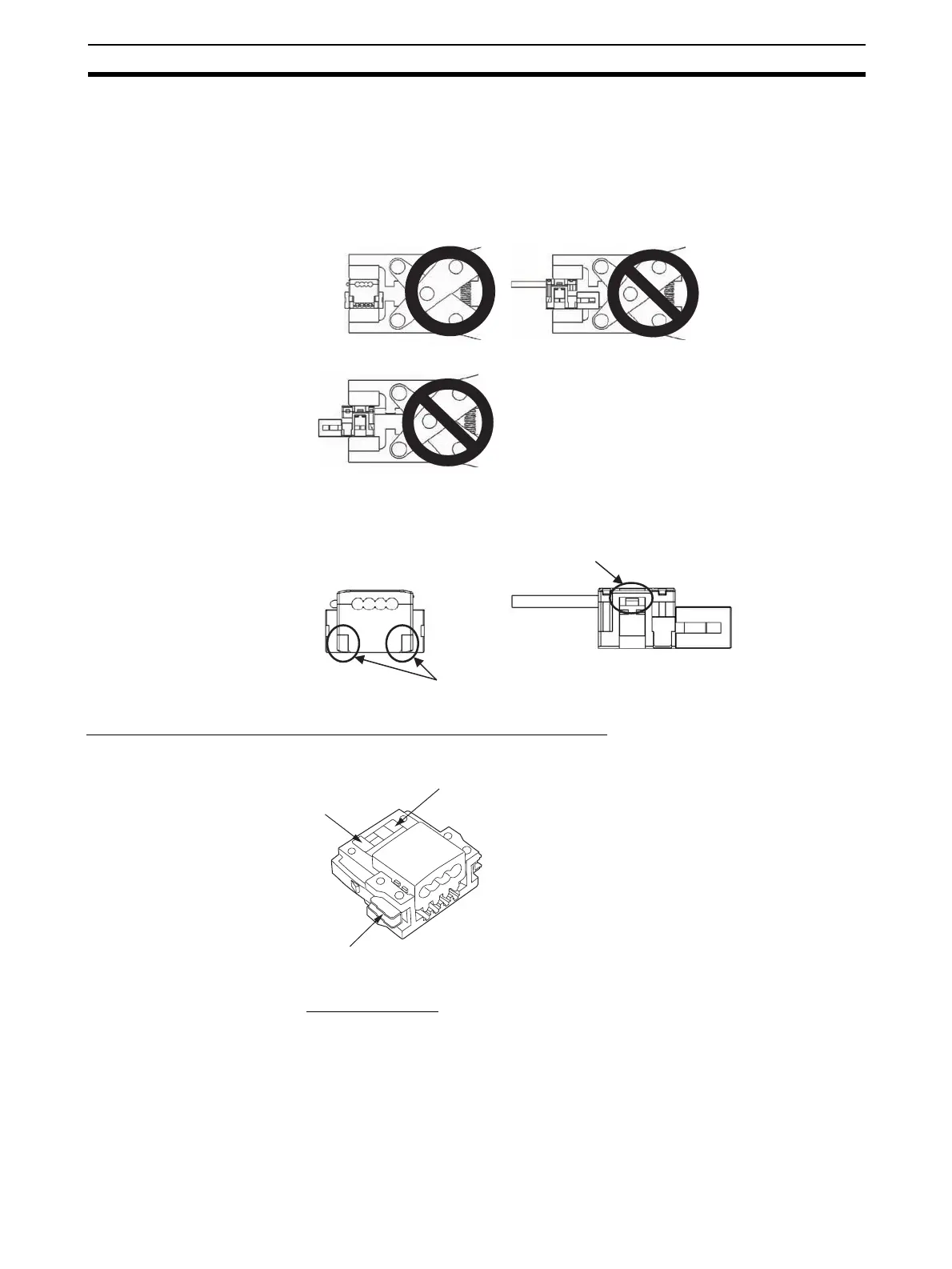
2. Squeeze firmly on the Pliers until the lock on the connector clicks into
place.
Note (a) Do not pressure-weld the connector cover at the edges.
(b) Do not use the back of pressure-welding block to pressure-weld
the connector cover.
(c) Set the connector in the correct orientation.
3. Confirm that the cable is properly pressure-welded as shown below.
Preparing and Mounting DCN4-BR4 Flat Connector Plugs
■ Component Names
■ Cutting the Cable
Cut the cable perpendicular to the length.
To prevent short-circuits, cut the cable with a sharp blade and be sure that
there are no whiskers from the conductors.
OK NG
NG
No s
ace here
The connector must be locked on both right and left.
Cable labels
(Flat cable: black, blue, white, and red)
Lock lever
Black












 To Next Page