86
Preparing and Mounting Flat Connectors Section 4-3
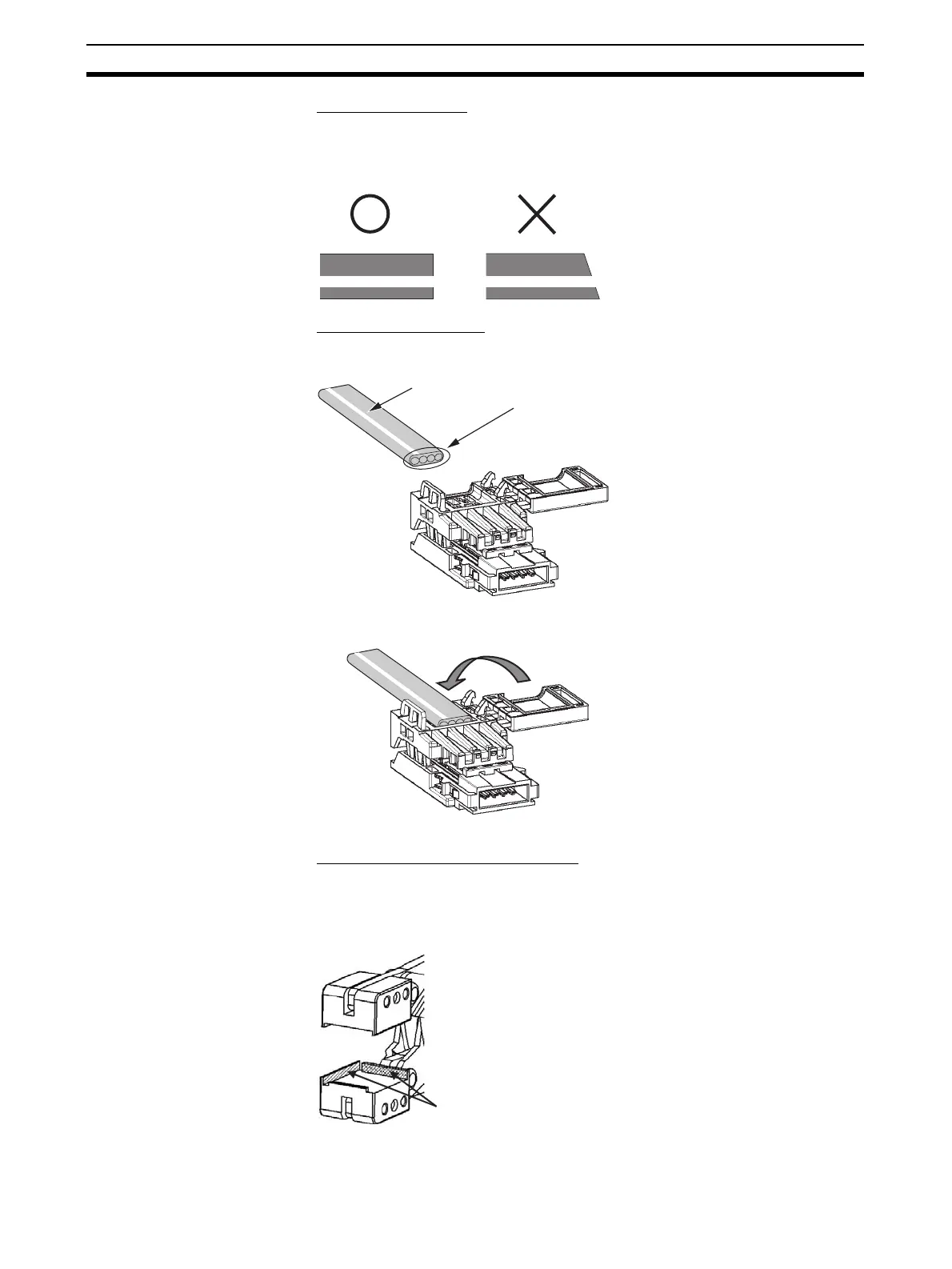
1) Cutting the Cable
Cut the cable perpendicular to the length.
To prevent short-circuits, use a sharp cutting tool such as nipper. Confirm
there is no remaining wire coming out.
2) Attaching the Cable
1,2,3... 1. Hold the cable with the white line facing up and near the cover opening
2. Hold the cable so that it does not move and close the cover.
3) Pressure-welding the connector
The connector is pressure-welded using the DWT-A02 Pliers.
1,2,3... 1. Align the center (see arrows) of the connector cover with the center of the
pressure-welding block on the DWT-A02 Pliers.
White line
Confirm that the line colors at the end of the
cable are in the following order starting from
the left: red, white, blue, and black.
Connector position reference surface












 To Next Page