23
F3SJ-E/B
User’s Manual
Chapter2 Description of Functions
System Configuration and Functions
E
Upgrading F3SJ-B for muting system
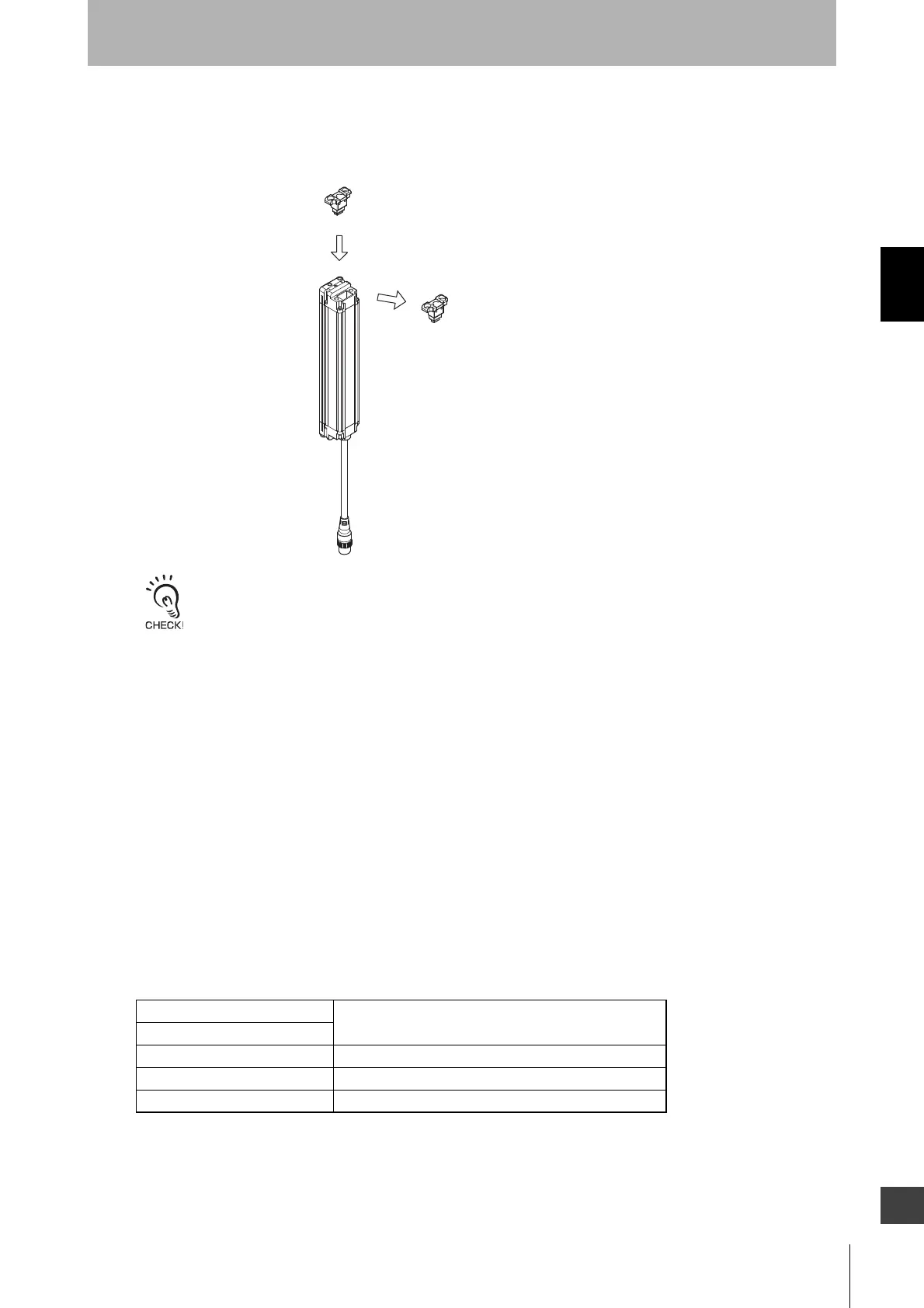
Loosen two cap screws (M3 cross-shaped) of either an emitter or a receiver to remove the cap.
Replace the Cap with a Muting Key Cap and then tighten it with two screws (M3 cross-shaped).
- When mounting a Cap or Muting Key Cap, securely tighten the screw (M3 cross-shaped) with the recommended
torque of 0.54 N•m. Failure to do so may cause the cap to come loose, leading to deterioration of the protective
functions.
- Attaching/detaching of a Cap or Muting Key Cap may cause misalignment of rubber grommet in a connector
assembly. Press the grommet to the bottom of the connector and attach the connector to the F3SJ-B again.
<Muting sensor>
The muting sensor is the sensor that is the trigger for temporarily disabling the safety functions of the
F3SJ-B. You can use a photoelectric switch of transmission type or reflective type proximity switch, or
limit switch. (Recommendation: OMRON E3Z series, E2E series (3-wire type), D4N series) Use a 3-
wire type PNP output or N.O. type contact. Two-wire type sensor cannot be used.
<Muting lamp>
You may need a muting lamp depending on your application or as a result of a risk assessment. Before
determining the use of the muting lamp, check laws and regulations of the country or region where the
F3SJ-B is used and make sure of full compliance with them.
The muting lamp can be connected to the auxiliary output.
<Internal indicators of the F3SJ-B>
Top-beam-state indicator
Blinks during muting/override.
Bottom-beam-state indicator
Muting error indicator Blinks during a muting error.
Muting input 1 indicator Turns ON when an input is given to muting input 1.
Muting input 2 indicator Turns ON when an input is given to muting input 2.
Muting Key Cap
Mode: F39-CN10 (Case color: Orange)
Cap
(Case color: Black)



 To Next Page