1-2 Machining Center
When the Emergency Stop Switch is pressed, the entire machine will stop.
When a door is open, the corresponding part will not be activated.
Required Units
Unit Qty. Safety input to be applied Page
G9SX-BC 1 Emergency Stop Switch 39
G9SX-AD 3
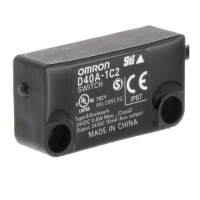
Guard Lock Safety Door Switch
Safety Door Switches (Set of two)
40
Segment A Segment B Segment C
(4) Tool changer door
(3) Pallet changer door
(1) Emergency Stop
Switch
(2) Main door
Segment A Segment B
(1) The Emergency Stop
Switch is pressed.
Stop Stop
Segment C
Stop
Segment A Segment B
(2) The main door is opened.
Stop Stop
Segment C
Stop
Segment A Segment B
(3) The pallet changer door
is opened.
Stop Stop
Segment C
Stop
Segment A Segment B
(4) The tool changer door is
opened.
Stop Stop
Segment C
Stop
Operation Example
Advanced Unit
G9SX-AD
Advanced Unit
G9SX-AD
Advanced Unit
G9SX-AD
(3) Pallet Changer Door (4) Tool Changer Door
Safety Door
Switch
Safety Door
Switch
Basic Unit
G9SX-BC
(2) Main Door
Logical AND connection
(1) Emergency Stop
Switch
Guard Lock
Safety Door
Switch



 To Next Page