2. Functions, Wiring and Settings
66
G9SX
USER'S GUIDE
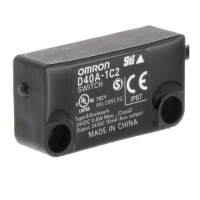
2-7 Non-contact Door Switch
Example: Wiring a Single Switch
Note: The auxiliary output load current must be 10 mA max.
Example: Wiring Multiple Switches
Connect Up to 30 Non-contact Door Switches.
Wiring of Inputs and Outputs
Signal name Wire color Description of operation
Non-contact Door Switch
power supply input
Brown
Supplies power to the D40A.
Connect to the D3 and D4 terminals of the G9SX-NS@.
Blue
Non-contact Door Switch input
White
Inputs signals from the G9SX-NS@.
The Non-contact Door Switch input must be ON as a required condition for the
Non-contact Door Switch output to be ON.
Non-contact Door Switch
output
Black
Turns ON and OFF according to actuator detection and the status of the Non-
contact Door Switch input.
Auxiliary output Yellow Turns ON when actuator is detected.



 To Next Page