1-4 Machine Tool
When the Emergency Stop Switch is pressed, the entire machine will stop.
If the left door is opened, the left drive section and transport section will stop.
If the right door is opened, the right drive section and transport section will stop.
Required Units
Unit Qty. Safety input to be applied Page
G9SX-BC 1 Emergency Stop Switch 39
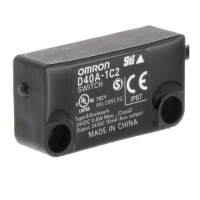
G9SX-AD 2 Safety Door Switches (Set of two) 40
G9SX-ADA 1 --- 41
Safety Door
Switch
Advanced Unit
G9SX-AD
Advanced Unit
G9SX-AD
(2) Left door (3) Right door
Safety Door
Switch
Segment A Segment B
Segment C
Advanced Unit
G9SX-ADA
Logical AND
connection
Logical AND
connection
Logical AND
connection
Transport section
Basic Unit
G9SX-BC
(1) Emergency Stop
Switch
(2) Left door (3) Right door
(1) The Emergency Stop
Switch is pressed.
(2) The left door is opened.
(3) The right door is opened.
Operation Example
(1) Emergency Stop
Switch
Segment A
Stop
Segment A
Stop
Segment A
Stop
Segment A
Stop
Segment A
Stop
Segment A
Stop
Segment A
Stop
Segment A
Stop
Segment A
Stop
Segment A
Stop
Segment A
Stop
Segment A
Stop
Segment A
Stop
Segment B
Stop
Segment A
Stop
Segment C
Stop
Segment A
Stop
Segment B
Stop
Segment A
Stop
Segment C
Stop
Segment A
Stop
Segment C
Stop
Segment A
Stop
Segment B
Stop



 To Next Page