EasyManua.ls Logo

Omron G9SX - Using Non-Contact Door Switch; Pick and Place Machine

Omron G9SX
104 pages
Print Icon
To Next Page IconTo Next Page
To Previous Page IconTo Previous Page
Loading...
20
G9SX
USER'S GUIDE
Application ExamplesSection 1
2. Using Non-contact Door Switch
2-1 Pick and Place Machine
If the Emergency Stop Switch is pressed, the entire machine will stop.
If the cover is opened, the entire machine will stop.
Required Units
Unit Qty. Safety input to be applied Page
G9SX-NSA 1
Emergency Stop Switch +
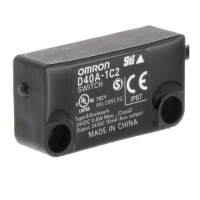
Non-contact Door Switch D40A
43

G9SX-NSA
(1) Emergency Stop
Switch
Motor
(1) Emergency Stop
Switch
(1) The Emergency Stop
Switch is pressed.
Operation Example
Cover
Cover
(2) Non-contact
Door Switch
(2) Non-contact
Door Switch
D40A
Segment A
Stop
Segment A
Stop
Segment A
Stop
Segment A
Stop
Segment A
Stop
Segment A
Stop
Segment A
Stop
Motor
Stop
Segment A
Stop
Segment A
Stop
Segment A
Stop
Segment A
Stop
Segment A
Stop
Segment A
Stop
Segment A
Stop
Motor
Stop
(2) Cover is opened.

Table of Contents

Related product manuals