Get Started 8
SD CARD
YourphonesupportstheuseofanoptionalSDcard(notincluded)toexpanditsstoragecapacity.It
supportscardsupto32GB.Somecardsmaynotoperateproperlywithyourphone.
SD Card Cautions
Data:InformationstoredonSDcardcanbecomelostorchangedaccidentlyorasaresultof
damage.Itisrecommendedthatyoukeepaseparatecopyofimportantdata.VirginMobileis
notresponsiblefordamagesfromdatathatislostorchanged.
Reading/Writing Data:Neverpoweroffwhilereadingorwritingdata.
Battery Level:Alowbatterychargemaypreventreading/writingtoSDcard.
Handling SD card:Use/storeSDcardsawayfromthereachofinfants.Otherwiseitmay
causechokingifswallowed.
Insert SD Card
FollowthesestepstoinsertanoptionalSDcard(notincluded).Makesuretopoweryourphoneoff
beforeinsertingorremovinganSDcard.
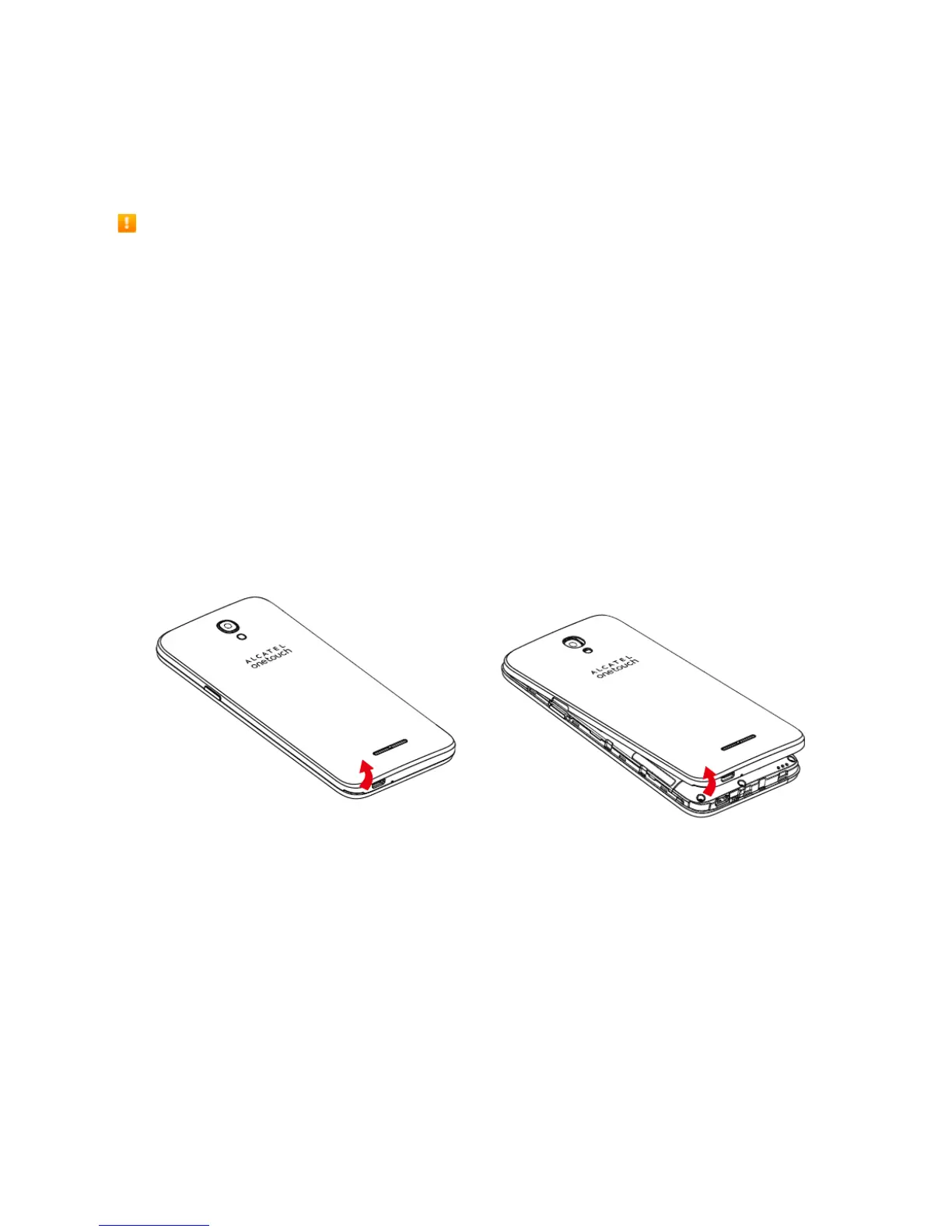
1. Removethebatterycover.



 To Next Page