Get Started 11
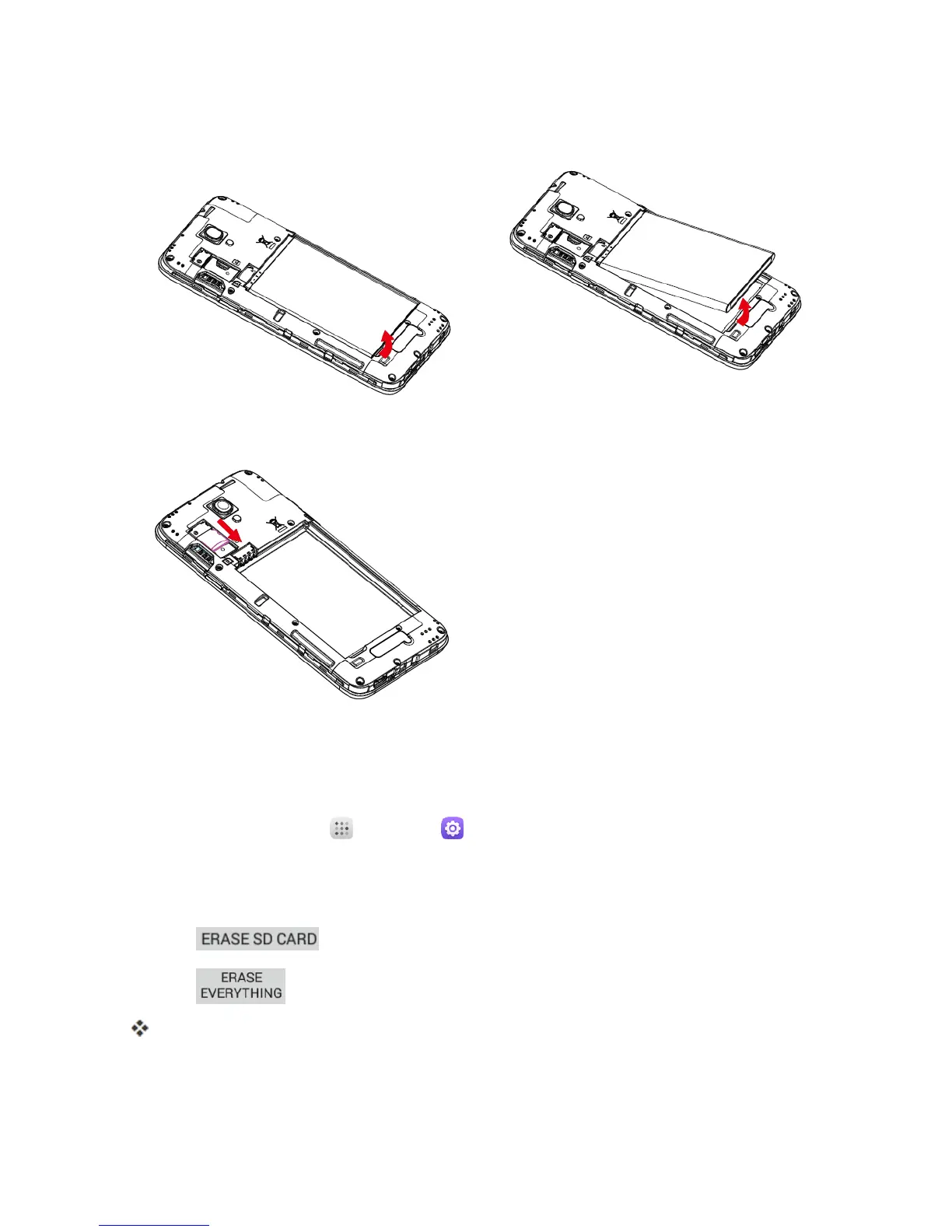
2. Removethebattery.
3. PushSDcardoutoftheslot.
Erase SD Card
WhenyouinsertanoptionalSDcardforthefirsttime,itisrecommendedthatyouformatitonyour
phone.
1.
Fromhome,touchApps >Settings .
2. TouchStorage.
3. TouchEraseSD card.
4.
Touch .
5.
Touch toconfirm.
AlldataontheSDcardiserased,andthecardisformattedforuseonyourphone.



 To Next Page