Phone App 62
1.
Fromhome,touchPhone >CONTACTStab.
YouwillseetheContactslist.
l YoucanalsoaccesscontactsdirectlyfromtheContactsshortcutortheappslist.From
home,touchContacts ,orifthere’snoshortcut,touchApps >Contacts .
2. Touchacontacttoviewitsdetails.
Thecontact’sdetailedlistingappears.
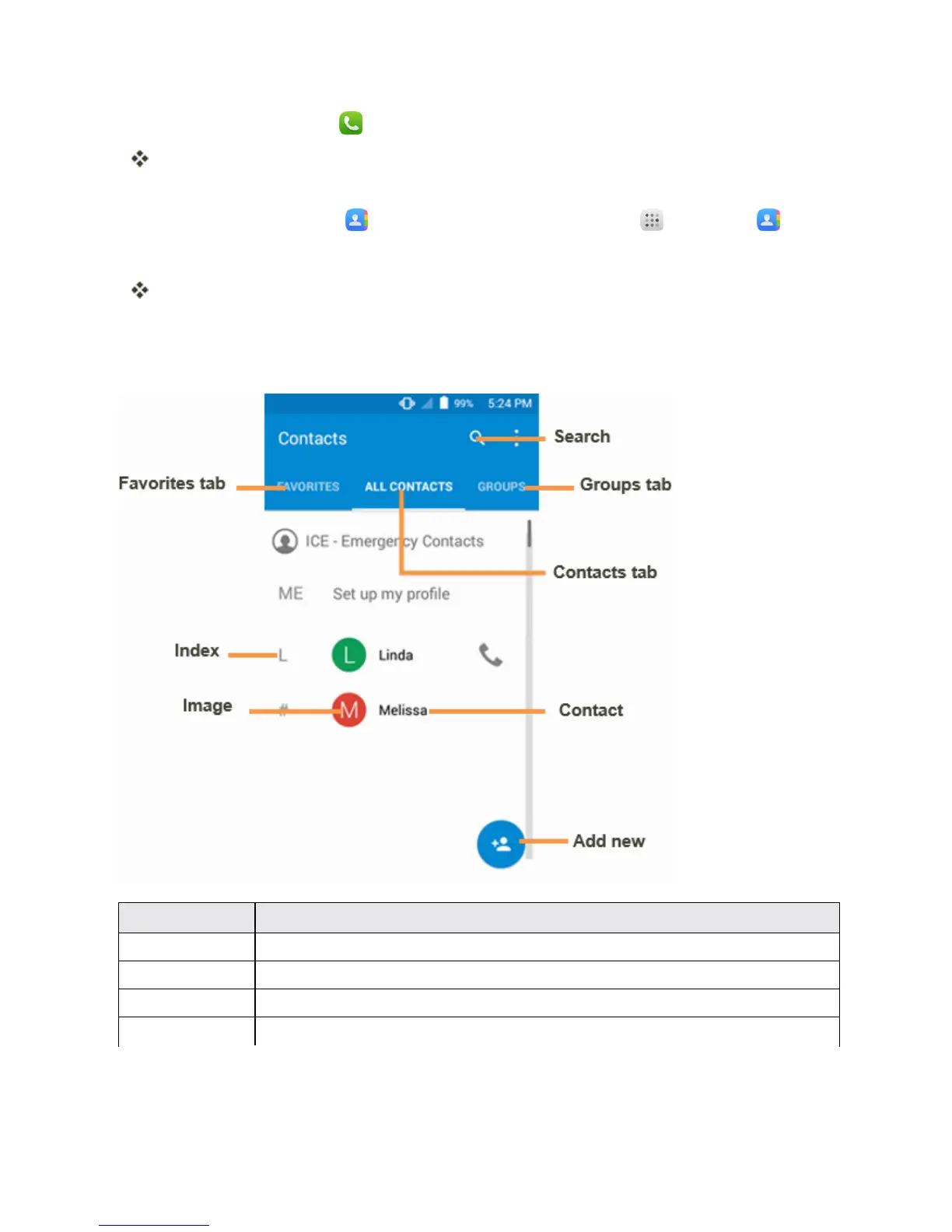
Contacts Screen Layout
Thefollowingillustrationshow’syourContactsapplayoutanddescribesthevariousfeatures.
Item Description
Groups tab Showcontactgroups.
Favorites tab Showfavoritecontacts.
Contacts tab Showallcontacts.
Contact Touchtoshowcontact’sdetails.



 To Next Page