* See gripper force and QC payload limitations in the 6. Operation and the 8.1.2. Technical
Sheets sections.
** See QC payload limitations in the 8.1.2. Technical Sheets section.
When using the Compute Box:
Name
Quick Changer -
Robot Side
Quick Changer -
Robot Side 4.5A
Quick Changer -
Robot Side
Item # 102037 104277 109498
Version QC-R v2 QC-R v2-4.5 QC-R v3
Illustration
Compatibility
* *
* See QC payload limitations in the 8.1.2. Technical Sheets section.
4.2.2. Tools
4.2.2.1. Finger and Vacuum Cup System Mounting
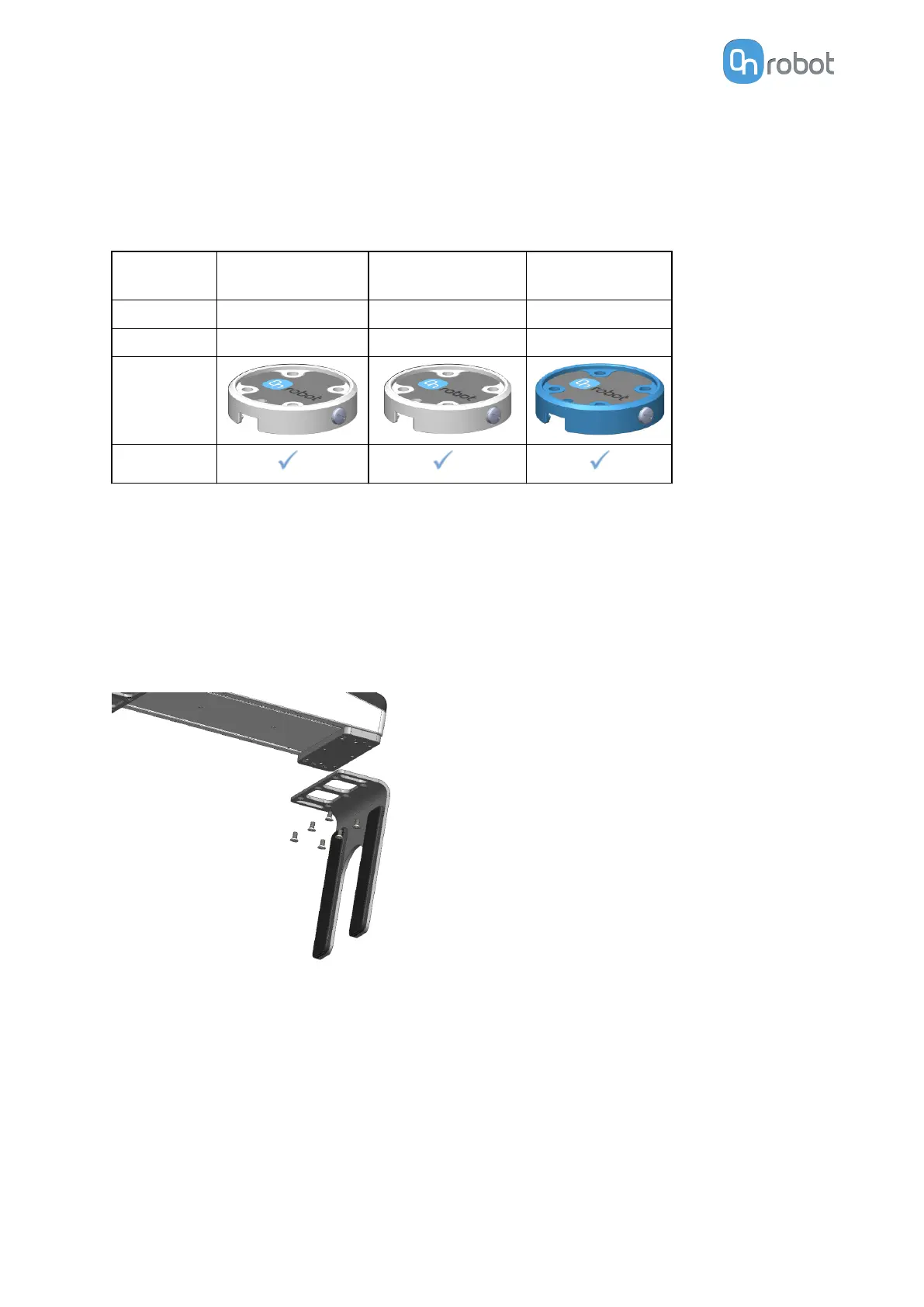
Finger Mounting
Mount the
fingers by tightening the six M6x12 screws (per finger) with 3 Nm torque.
Vacuum Cup System Mounting
To mount the vacuum cup bracket, the vacuum cups and the tubes, follow the steps below:
1. Tighten four angle fittings to the gripper’s air sources.
2. Tighten the vacuum cups to the angle
fittings through the holes of the bracket with 0.4 Nm
torque.
3. Place the desired bracket on the side of the gripper and tighten the six (2 if only row
shape will be used) M6x12 screws with 1 Nm torque.
HW INSTALLATION
13



 To Next Page