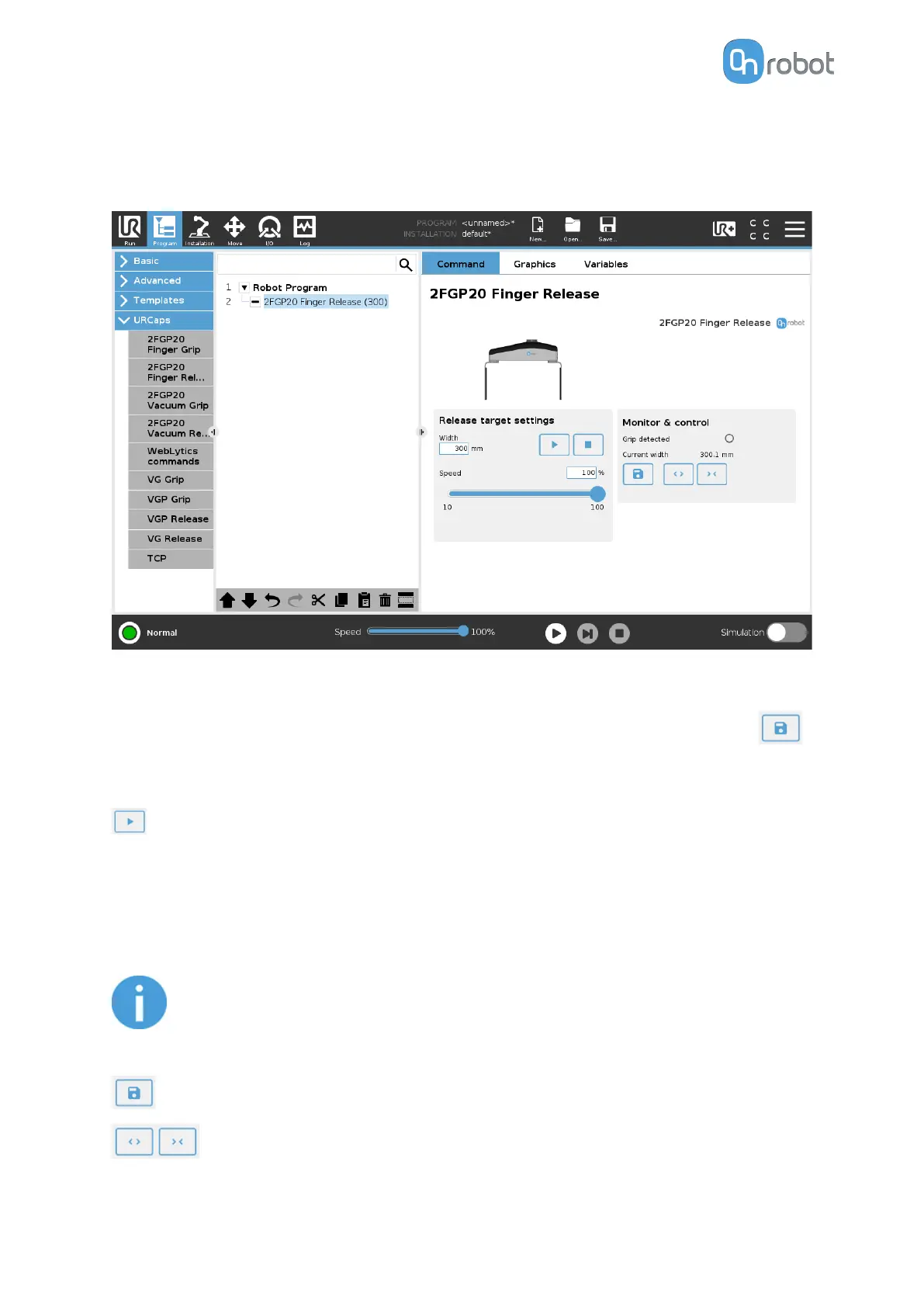
6.1.1.2. 2FGP20 Finger Release
When the 2FGP20 Finger Release command is executed, the gripper tries to reach the
specified target parameters (Width and Speed). The dierent functions are explained below.
Release target settings
Width: Sets the target release width. The width can be set by using the Save as Target
button (recommended) or by typing it manually.
Speed: Sets the target release speed.
Executes the command.
Monitor & Control
Grip detected: The gripper detects that a workpiece is gripped with the fingers.
Current width: The number shows the current width value.
NOTE:
When the tool is connected to a CB3 robot via the tool connector, the precision
of the displayed Current width value is valid up to 1 mm resolution.
Will set the Current width as Target width.
Buttons to open and close the gripper.
OPERATION
30



 To Next Page