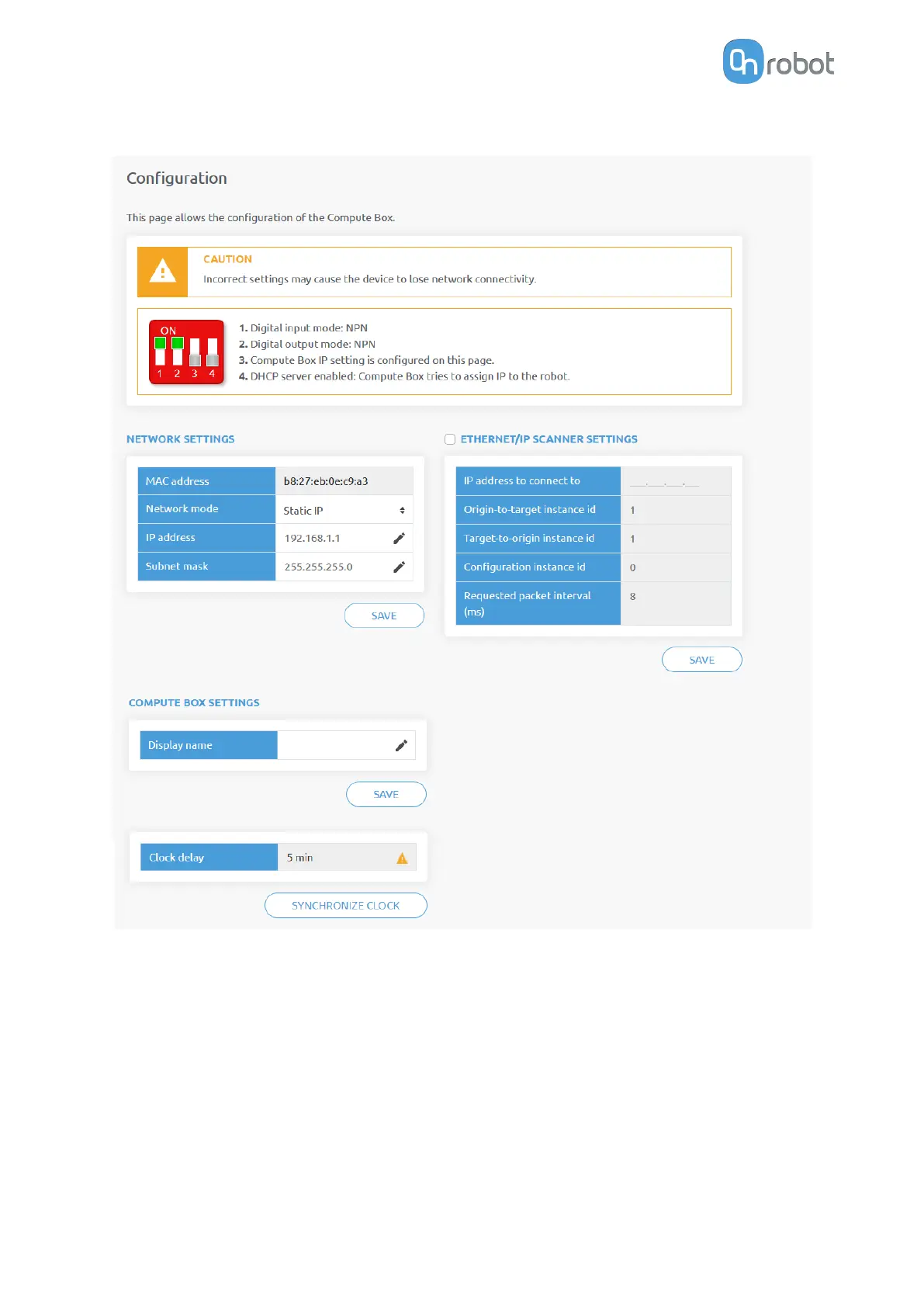
7.1.4. Web Client: Configuration Menu
Network settings:
The MAC address is a world-wide unique identifier that is fixed for the device.
The Network mode drop-down menu can be used to decide if the Compute Box will have a
static or a dynamic IP address:
•
If it is set to Dynamic IP, the Compute Box expects an IP address from a DHCP server. If
the network that the device is connected to has no DHCP server, the Compute Box will not
obtain an IP address and its LED is lighting in blue.
•
If it is set to Static IP, then a
fixed IP address and subnet mask must be set.
•
If it is set to Default Static IP, the
fixed IP revert to the factory default and cannot be
changed.
ADDITIONAL SOFTWARE OPTIONS
50



 To Next Page