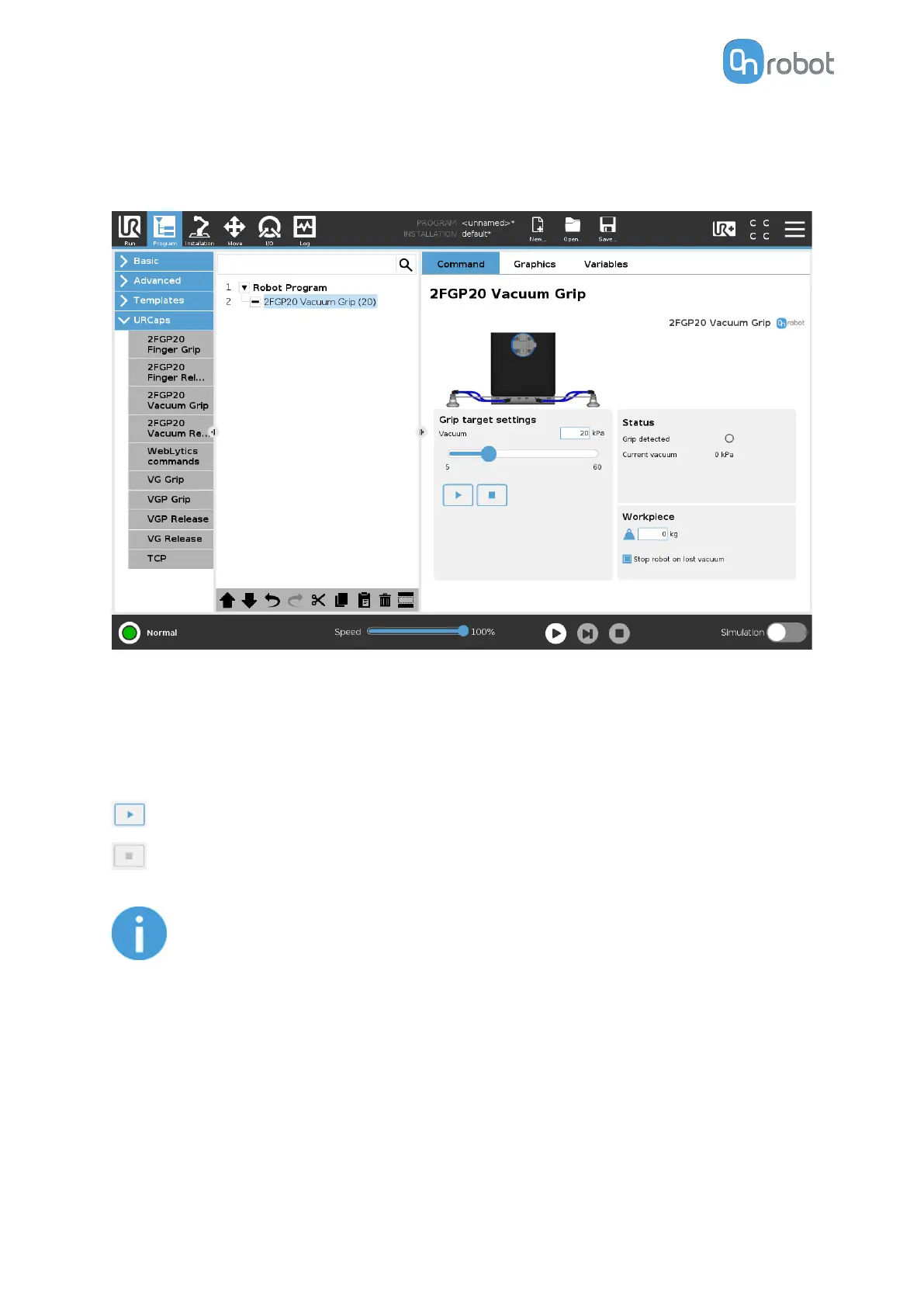
6.1.1.3. 2FGP20 Vacuum Grip
The 2FGP20 Vacuum Grip command is used to activate the pump and generate vacuum to
grip a workpiece.
Grip target settings
Vacuum: Use the slider to set the target vacuum level. The default value is 20 kPa.
The higher the achieved vacuum (from 5 kPa up to 60 kPa), the more the lifting power is. This
is dependent of the surface of the workpiece, see 8.1.1. Technical Sheets section for more
guidance on vacuum settings.
Executes the command.
Releases the vacuum.
NOTE:
Setting a lower vacuum gives a faster grip with less wear on the vacuum cups.
It also reduces the risk of leaving suction marks on delicate workpieces.
It can take a few seconds when pressing Play or Test before the robot program
starts.
Status
Grip detected: The gripper detects that a workpiece is gripped with the vacuum cups.
Current vacuum: Displays the current vacuum level.
OPERATION
31



 To Next Page