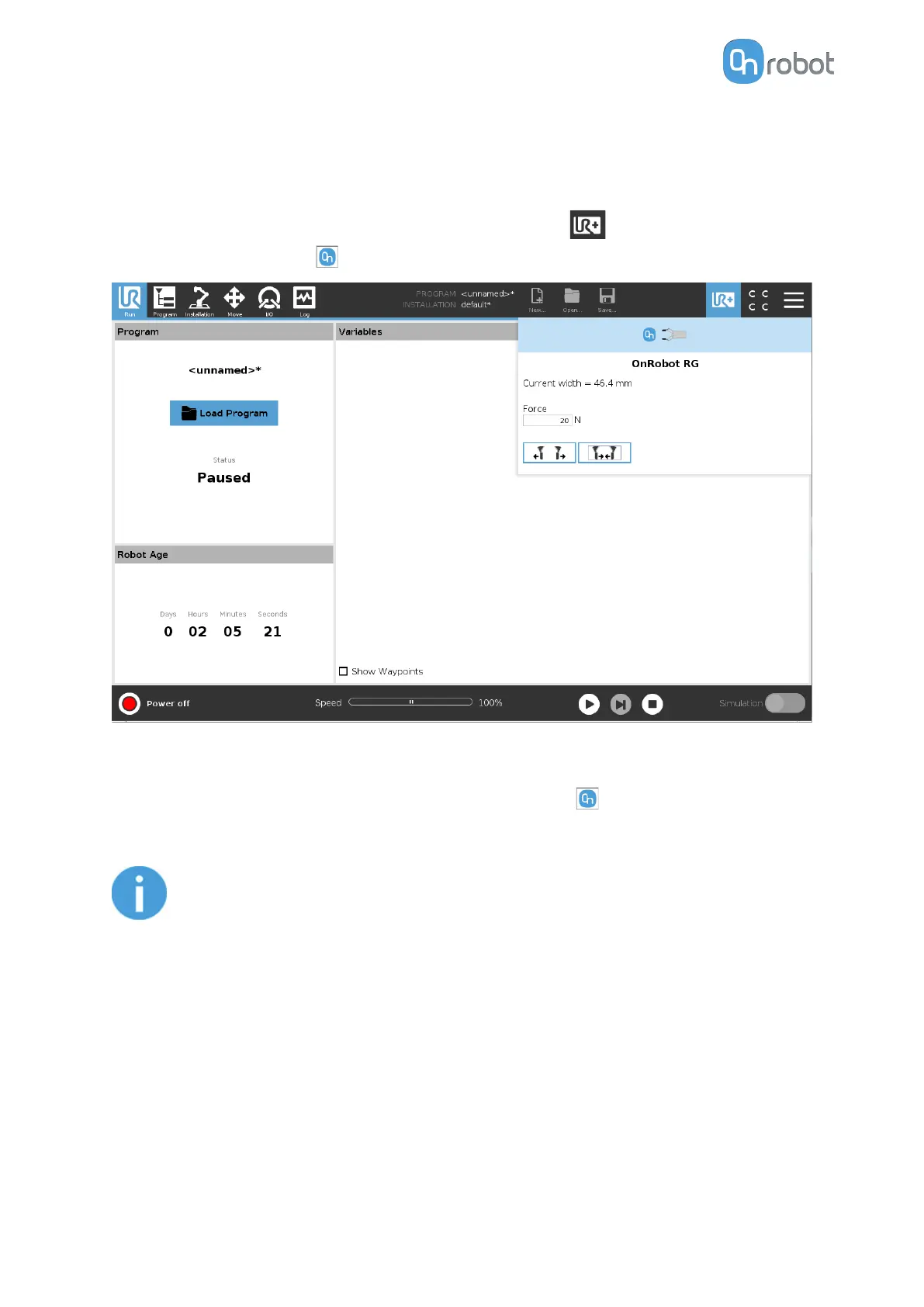
How to Access the Toolbar
The way how the toolbar can be accessed is dierent on the e-Series and the CB3 UR robots,
but the functionality is the same.
To open up the toolbar in the e-Series, press on the UR+ icon on the top right side. Then
press on the OnRobot icon .
Each OnRobot End of Arm Tooling has its own functionality and that is explained in the
sections below.
To open up the toolbar in the CB3, press on the OnRobot icon
on the top left side. The
icon might take around 20 seconds to appear after robot power up.
NOTE:
All toolbars are disabled while any robot program is running. Some toolbars
are also disabled and cannot be used while the robot is not initialized.
OPERATION
33



 To Next Page