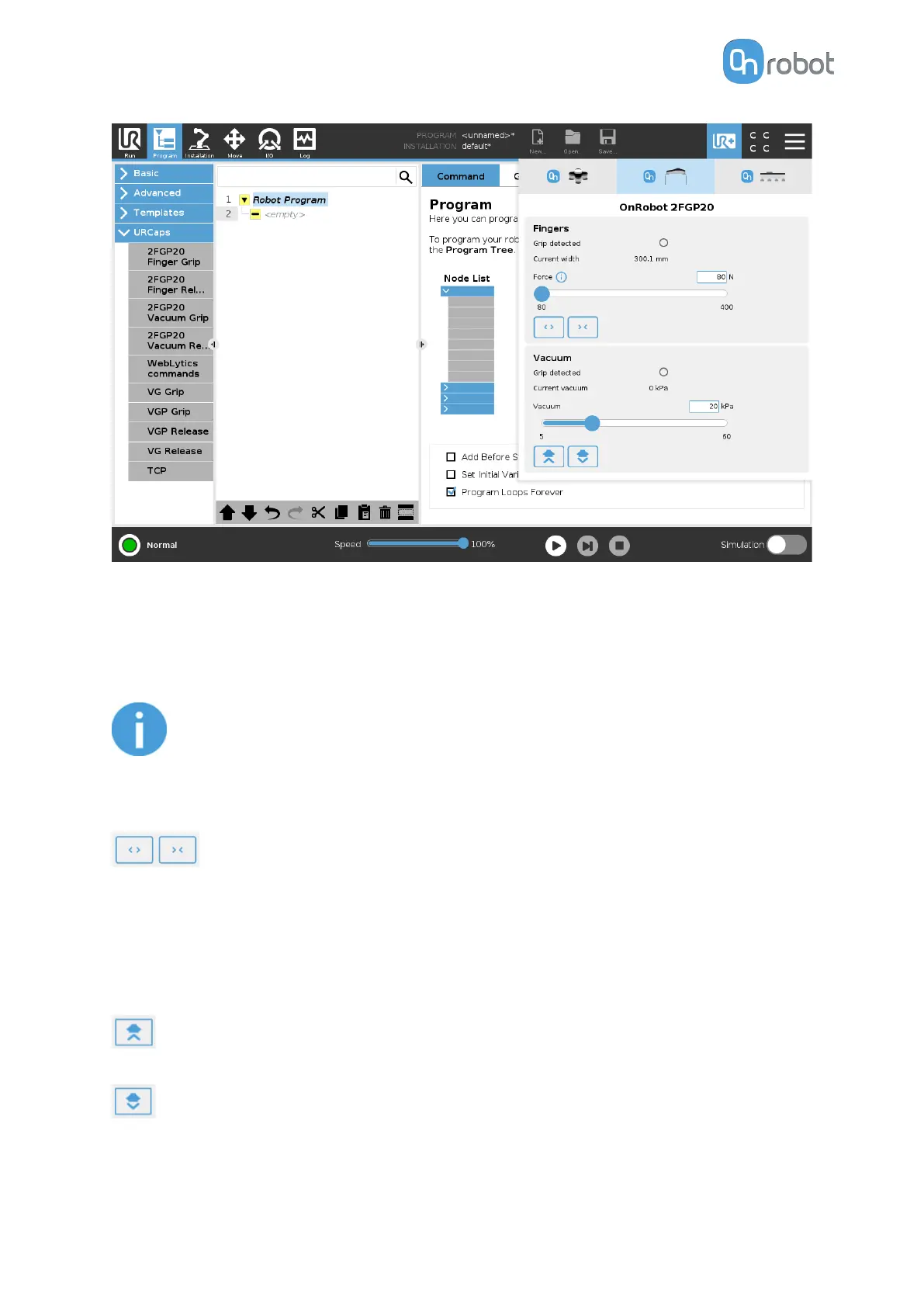
Fingers
Grip detected: The gripper detects that a workpiece is gripped with the fingers.
Current width: Shows the current width value.
NOTE:
When the tool is connected to a CB3 robot via the tool connector, the precision
of the displayed Current width value is valid up to 1 mm resolution.
Force: Sets the target gripping force.
Buttons to open or close the gripper.
Vacuum
Grip detected: The gripper detects that a workpiece is gripped with the vacuum cups.
Current vacuum: Displays the current vacuum level.
Vacuum: Sets the target vacuum.
(Grip button): when pressed, the pump will start to generate vacuum at the selected
level on the selected channel(s).
(Release button): when pressed, the test-grip will terminate and release any workpieces
that may be held by the selected channel.
OPERATION
36



 To Next Page