CAUTION:
During the update process (takes about 5-10 minutes) DO NOT unplug any
device or close the browser window. Otherwise the updated device could be
damaged.
The loading screens during the update process are the same for the software and the
firmware updates.
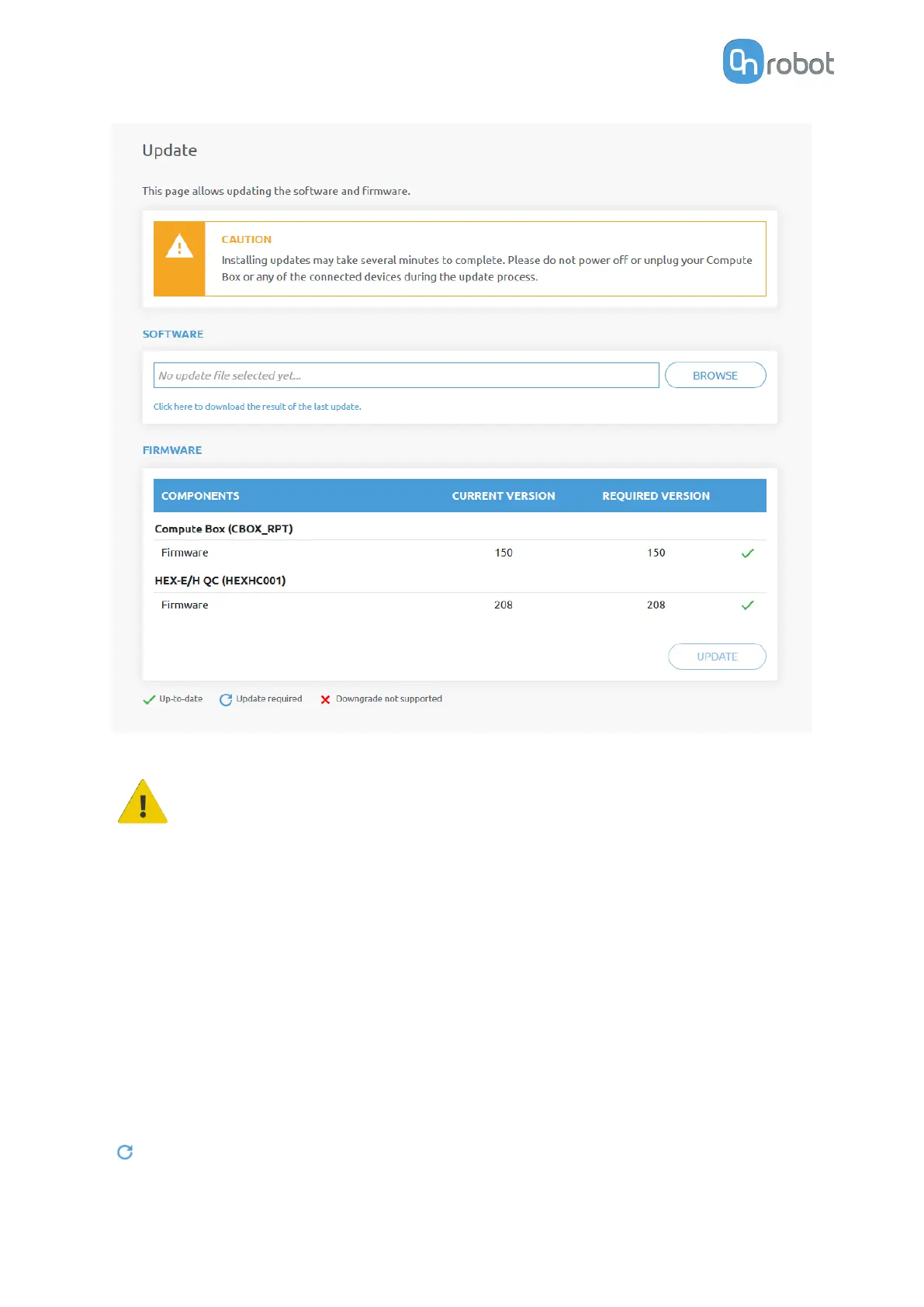
Software Update
Click on Browse to search for the .cbu software update file. The Browse button will turn to
Update.
Click on Update to start the software update process.
If the update is
finished and was successful, the message below is shown.
Firmware Update
Update required: A firmware update is required because one of the components is out of
date.
ADDITIONAL SOFTWARE OPTIONS
52



 To Next Page