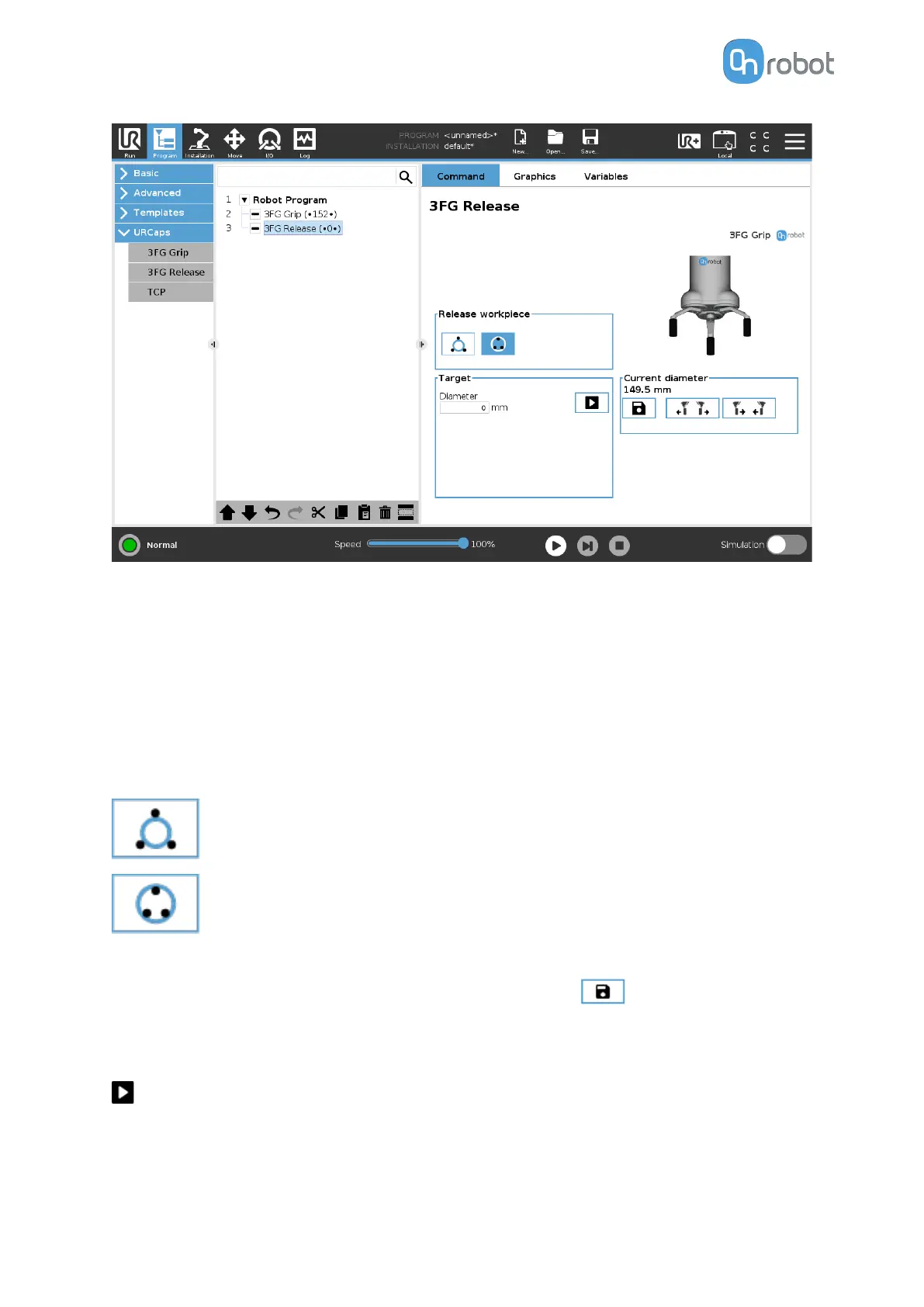
The command name in the robot program shows bullets • and a number in parenthesis (XX).
•
•(xx)• Bullets outside the parenthesis means external release
•
(•xx•) Bullets inside the parenthesis means internal release
•
The number in parenthesis shows the target diameter
Select device
When two grippers are used, these buttons will select which one of the two grippers performs
the action. The active button will have a blue background.
Release workpiece
select this if the workpiece will be released externally
select this if the workpiece will be released internally
Target
Diameter: The target release diameter can be set by using the
Save as Target button
(recommended) or by typing it in manually. The external gripper diameter will be shown if
release internally is selected and the internal gripper diameter will be show if release
externally is selected.
When pressed, the gripper will act as if the command is executed.
Current diameter
The number shows the Current diameter value.
OPERATION
66



 To Next Page