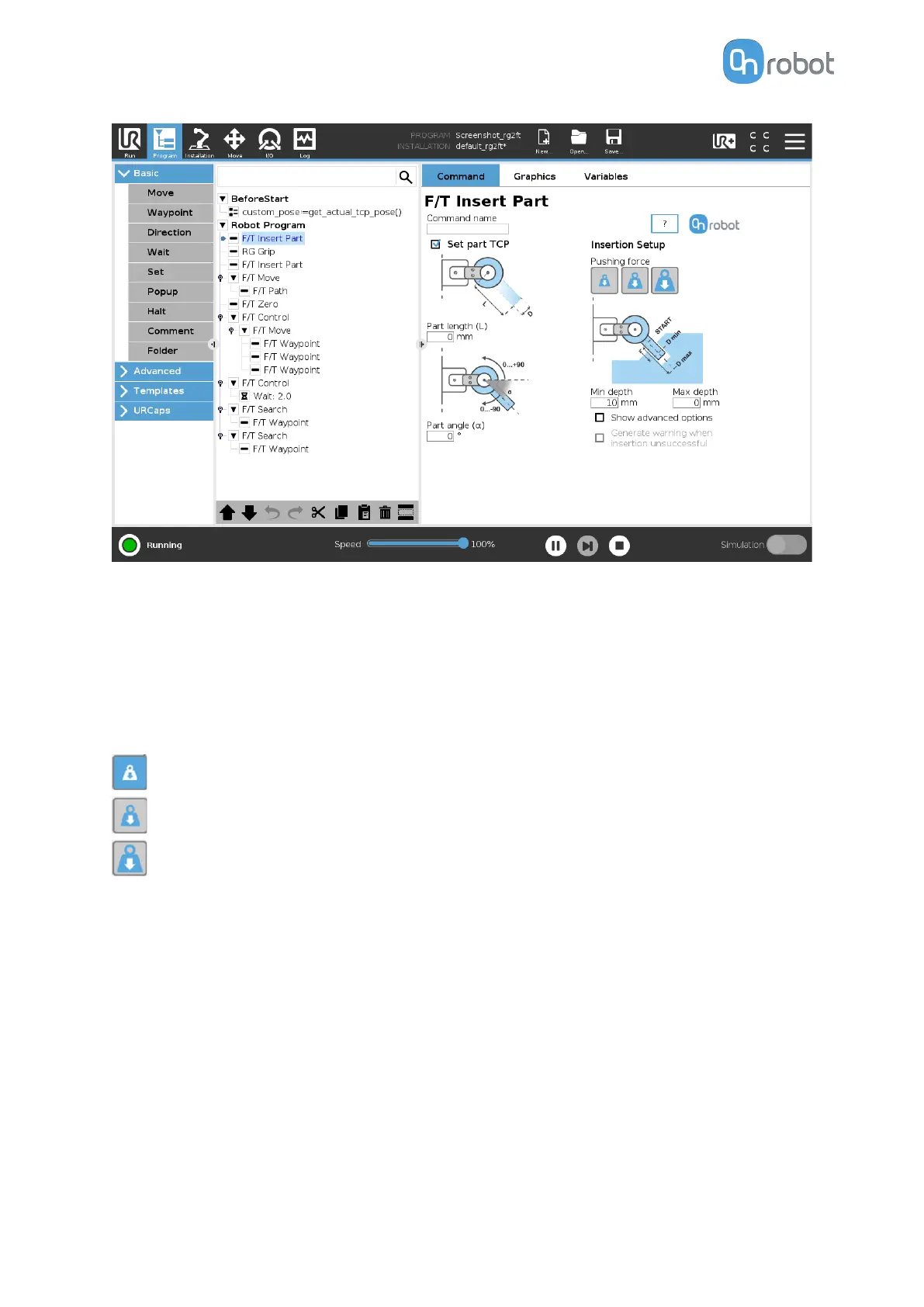
If the Set part TCP checkbox is checked the TCP will be set at the further end of the part. It
requires the following two parameters to be given:
Part length (L): the distance between the center point of the fingertip sensors and the center
point of the item to be inserted.
Part angle (α): the angle between the +Y axis of the
fingertip sensor and the insertion
direction of the item to be inserted.
Pushing force: the pushing force can be selected:
sets the pushing force to be 3N.
sets the pushing force to be 6N.
sets the pushing force to be 12N.
Min depth: The minimum distance required to consider the insertion successful, from the
starting point.
Max depth: The maximum distance the insertion can reach, from the starting point.
Show advanced options checkbox: If checked, more options become available:
OPERATION
85



 To Next Page