Chapter 5: Firewall, Failover and Out of Band
114 Console Server & RIM Gateway User Manual
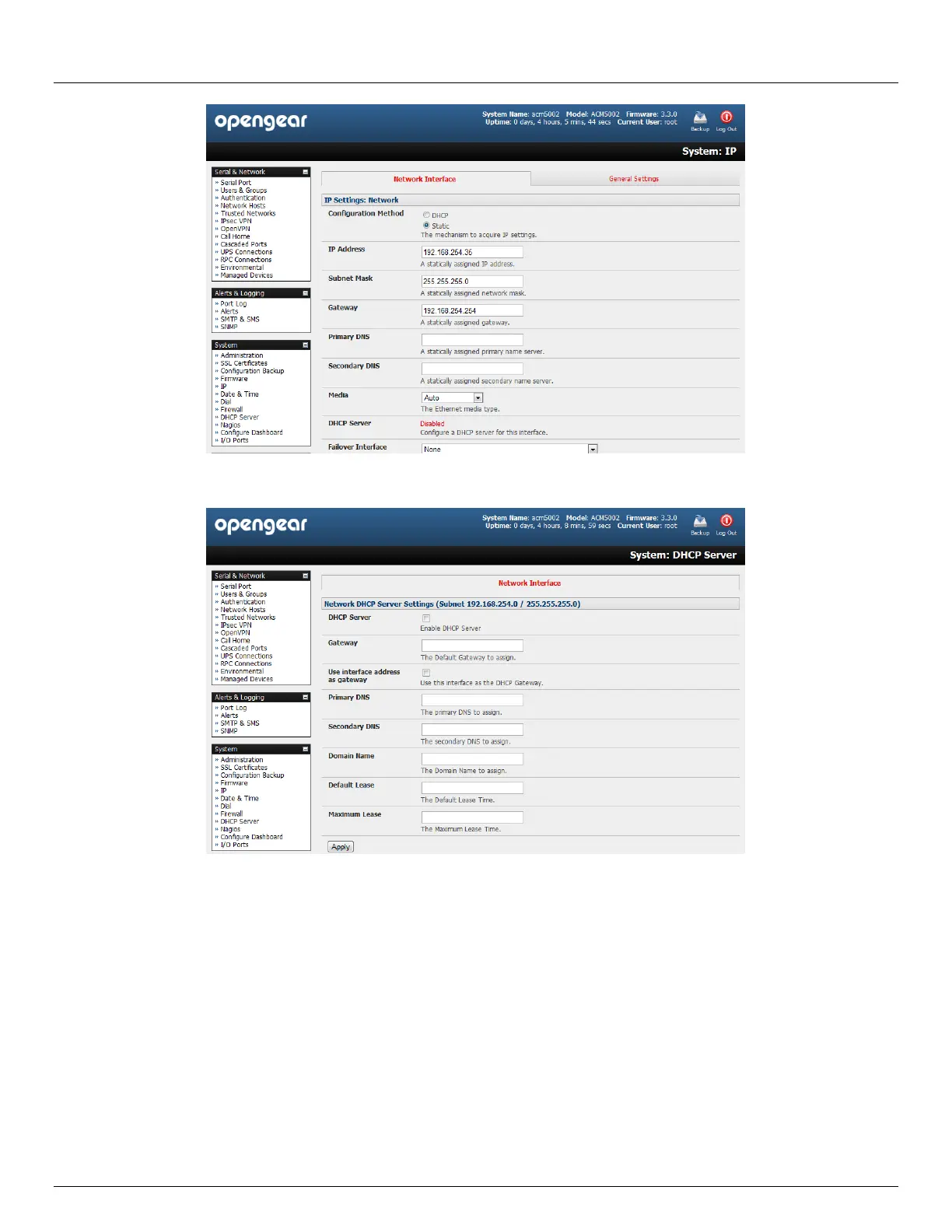
Click on the Disabled link next to DHCP Server which will bring up the System: DHCP Server page
Check Enable DHCP Server
To configure the DHCP server, tick the Use interface address as gateway check box
Set the DNS server address(es) to be the same as used on the external network i.e. if the console server is acting
as an internet gateway or a cellular router, then use the ISP provided DNS server address
Enter the Default Lease time and Maximum Lease time in seconds. The lease time is the time that a
dynamically assigned IP address is valid before the client must request it again
Click Apply
The DHCP server will sequentially issue IP addresses from a specified address pool(s):
Click Add in the Dynamic Address Allocation Pools field
Enter the DHCP Pool Start Address and End Address and click Apply



 To Next Page